Guest Access
The Nile Access Service offers three different options for providing guest network access:
- Integration with an external Captive portal, such as ClearPass and ISE
- Nile-hosted Guest Portals
- Nile Secure Guest Service
Integration with External Captive Portal
This solution is ideal for customers who already have a Cisco ISE or Aruba ClearPass implementation with their existing WLAN. In this model, the Nile Access Service acts as a pass-through, relying on the external captive portal server to authenticate the guest devices.
There are two modes of operation:
- Server-initiated flow
- Static URL
Server Initiated flow
In the server-initiated flow, the captive portal server is configured with the redirect URL and hosts the captive portal page. When a guest device connects to the captive portal SSID:
- The Nile Access Service assigns the device to a guest segment and provides an IP address from the DHCP server.
- The Nile Access Service initiates a MAC authentication request to the captive portal server.
- If the MAC address is not in the captive portal server's database, it responds with an Access-Accept message and embeds the redirect URL.
- The Nile Access Service then redirects the user to the URL provided by the captive portal server.
- The user communicates with the captive portal server and provides the necessary authentication (e.g., accept and connect, social login, password).
- Once authenticated, the captive portal server initiates a Change of Authorization (CoA), and the Nile Access Service re-initiates the MAC authentication. This time, the server responds with an Access-Accept without the redirect URL.
- The Nile Access Service then allows the device onto the network.
To configure this flow, navigate to the "Settings" > "Authentication" section in the Nile Cloud Services Portal and add a RADIUS server.
Static URL
In the static URL mode, the administrator configures the redirect URL in the Nile Cloud Services Portal when adding the RADIUS server. The captive portal server does not provide the URL via the MAC authentication process.
Nile Hosted Guest Portals
This solution is ideal for customers who do not have an external captive portal server. The Nile Access Service hosts the captive portal server in the cloud and provides it as part of the service, free of charge. Nile supports two authentication methods for onboarding guest users:
- Click-Through
- Email Approval
- Access Codes
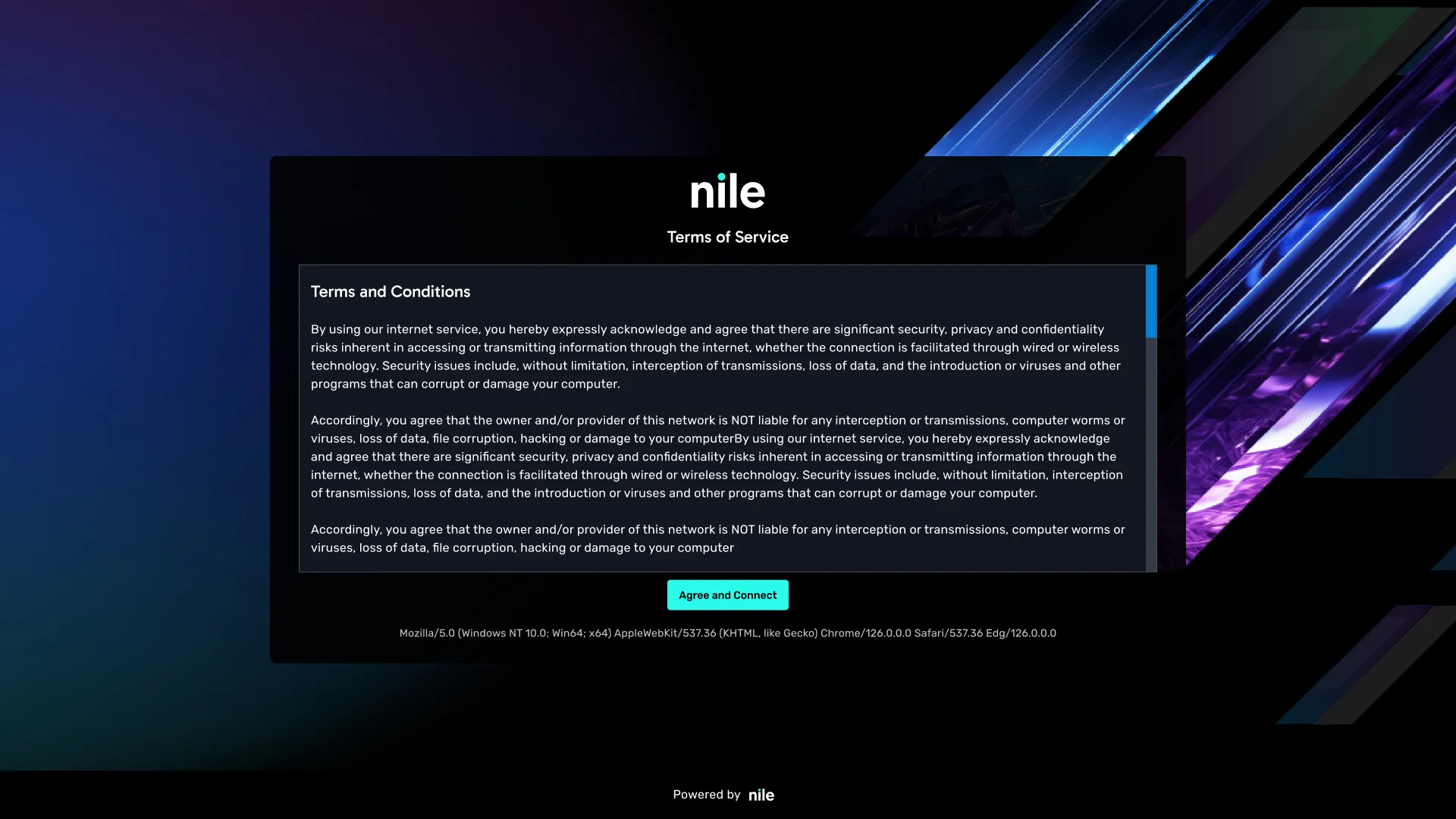
Click Through
The click-through feature requires the guest user to accept the terms and conditions to access the network. This is the most basic form of authentication. Once accepted, the user is granted access to the network.
Email Approval
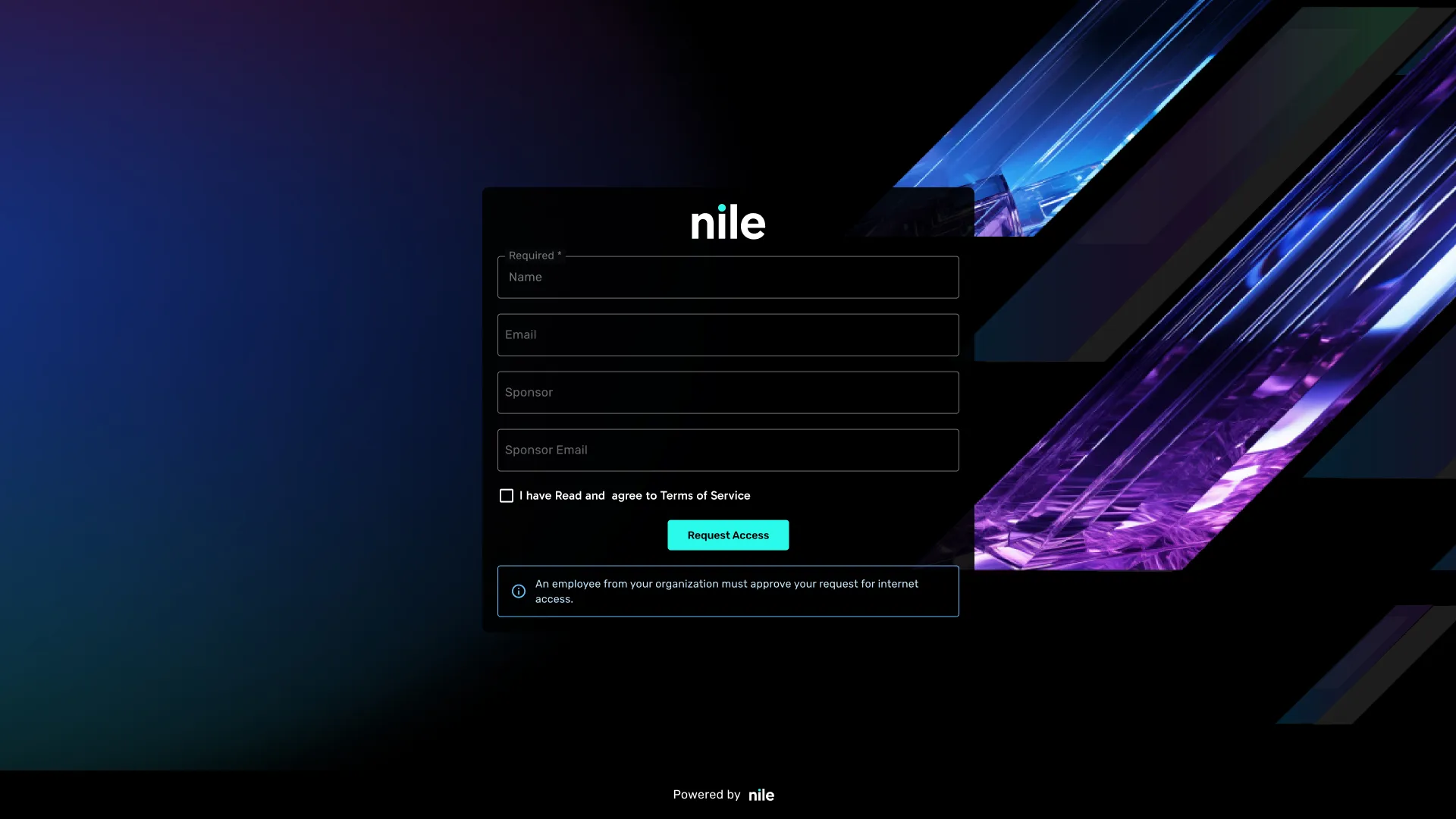
The email approval feature displays a form that the guest user must fill out, and then the request must be approved. The form includes the following fields:
- Guest User's Name
- Guest User's Email
- Visiting Employee's Name
- Visiting Employee's Email
Once the form is filled out, an email is sent to the visiting employee, who must approve the request for the guest user to gain access.
Nile will only send the email if the domain of the visiting employee's email entered by the guest is a valid domain for the tenant. The administrator can add multiple domains if needed.
To configure the Nile-hosted guest portals, navigate to the "Settings" > "Authentication" section in the Nile Cloud Services Portal and select the "Guest" option when adding a RADIUS server.
Access Codes
Feature Value
Nile Guest Wi-Fi Access Codes provide flexible options for granting temporary network access to visitors. Customers can choose between simple, shared access codes for short events or user-specific access codes for personalized, auditable guest access.
Both options are available through:
- The Nile Portal for manual administration
- Nile APIs for automation and integration with external systems
This flexibility allows customers to match the access model to their operational needs without changing network configuration.
Feature Description
Nile Guest Portals support Access Code–based authentication. When using Access Codes, customers can choose between two access models:
Option 1: Generic Access Code
A single shared access code that can be used by multiple guests.
Characteristics:
- The administrator has the option to define a custom access code, or Nile can automatically generate one
- One access code shared across all guests
- Not tied to an individual guest
- Time-bound (start and end time)
- Simple to distribute verbally, via signage, or email
Typical Use Cases:
- Short-duration events
- Meetings or training sessions
- Temporary guest access where individual tracking is not required
Option 2: User-Specific Access Code
A unique access code per guest, tied to user identity.
Characteristics:
- One access code per guest. The administrator has the option to define a custom access code, or Nile can automatically generate one
- Associated with the guest's Name and Email Address
- Time-bound (start and end time)
- Enables traceability and personalized distribution
Typical Use Cases:
- Employee-hosted visitors
- Contractors or partners
- Conferences and events requiring individual access control
- Integration with helpdesk or registration systems
How It Works
Step 1: Identify the Guest Portal
- Admin selects a Guest Portal of type Access Code
- Guest Portal may be mapped to one or more geo scopes (sites or locations)
Step 2: Create Access Codes
Access codes can be created in two ways, regardless of whether they are generic or user-specific.
Option A: Nile Portal (Manual)
Admins can manually create:
- A generic access code shared by all guests, or
- User-specific access codes with name and email
Admins configure:
- Access code value (optional auto-generation)
- Start and end time
- Guest name and email (user-specific option only)
Option B: Nile APIs (Automated)
External systems can programmatically create access codes using Nile APIs.
The API supports both access models:
- Generic access codes (no guest identity)
- User-specific access codes (name and email included)
API payloads can include:
- Access code (or allow auto-generation)
- Start and end time
- Optional guest name and email
This enables automation, bulk provisioning, and integration with existing workflows.
Step 3: Guest Authentication
- Guest connects to the SSID associated with the Guest Portal
- Guest is redirected to the captive portal
- Guest enters the access code
- Access is granted based on validity and portal policy
Example Use Cases
Use Case 1: Short Event with Shared Access
Admin → Nile Portal or API → Generic Access Code → All Guests- Single access code created
- Code shared with all attendees
- Access expires automatically after the event
Use Case 2: Employee-Hosted Guests
Employee → Helpdesk (ServiceNOW) → Approval → Nile API → Guest Wi-Fi
                              ↓
User-specific access codes emailed- Unique access code per guest
- Guest name and email captured
- Codes automatically distributed
Use Case 3: Conference Attendees
Registration System → [API / CSV Upload] → Nile Platform → Guest Wi-Fi
                     ↓
Badge Number = User-Specific Access Code- Badge number used as access code
- Identity captured per attendee
- Supports large-scale, automated provisioning
Summary: Access Code Options
Capability | Generic Access Code | User-Specific Access Code |
|---|---|---|
Shared Across Guests | ✅ | ❌ |
Guest Name & Email | ❌ | ✅ |
Time-Bound Access | ✅ | ✅ |
Manual Creation (Portal) | ✅ | ✅ |
API-Based Automation | ✅ | ✅ |
Best for Events | ✅ | ✅ (Large / Managed Events) |
FAQ
Q. What is the default session time of guest?
A. The default session timeout is 24hrs and it can be changed
Q. As an admin, can I customize the branding of the page?
A. Nile offers the ability to brand the page using background images, colors, and logos
Nile Secure Guest Service
The Nile Secure Guest Service is an optional component of the Nile Access Service that provides secure internet access for guest devices, including those belonging to customers, partners, and employees, while isolating them from the organization's internal network resources.
For more information on the Nile Secure Guest Service, please refer to the Nile Guest Service documentation.
Guest PoP Details
For deployments that require IP-based or FQDN-based allowlisting, Nile publishes the regional Guest PoP IP addresses and FQDN addresses used by the Nile Guest Service.
Use the following table to allow required guest traffic by region.
Region | Nile Cloud | Guest PoP IP address | FQDN Address |
|---|---|---|---|
US-East | AWS | 129.213.106.74 | east-us.guest.nilesecure.com |
US-West | AWS | 192.9.141.254 | west-us.guest.nilesecure.com |
Singapore | AWS | 140.245.49.110 | apac.guest.nilesecure.com |
London | AWS | 132.145.22.121 | eu.guest.nilesecure.com |
KSA (Riyadh) | GCP | 145.241.104.158 | me.guest.nilesecure.com |