MSPs: Managing customer tenants
Managed Service Providers (MSPs) can be granted full administrator access to a customer's Nile tenant. This enables them to manage the customer environment without needing to log in to each tenant individually.
To enable MSP functionality, the MSP must have their own tenant marked with the “MSP” role. This designation is assigned by contacting the Nile Partner Team. Once enabled, the MSP gains access to a multi-tenant management view, allowing them to easily switch between customer tenants using a drop-down selector.
How the MSP Access Workflow Works:
a) Customer Adds MSP
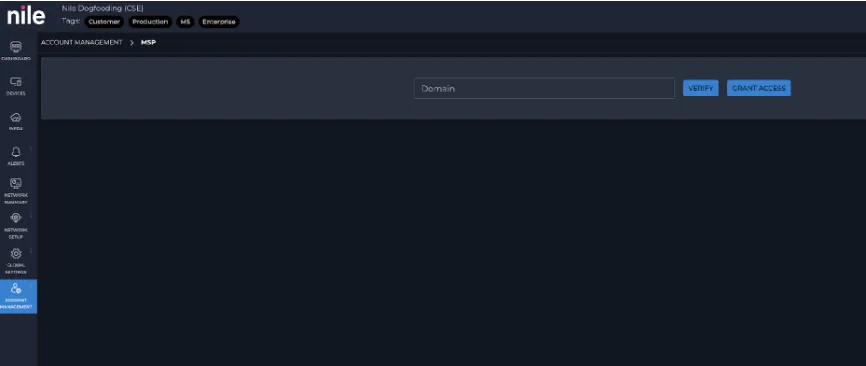
The customer enters the MSP’s domain in the Nile Portal under Account Management > MSP.
b) Customer Approval
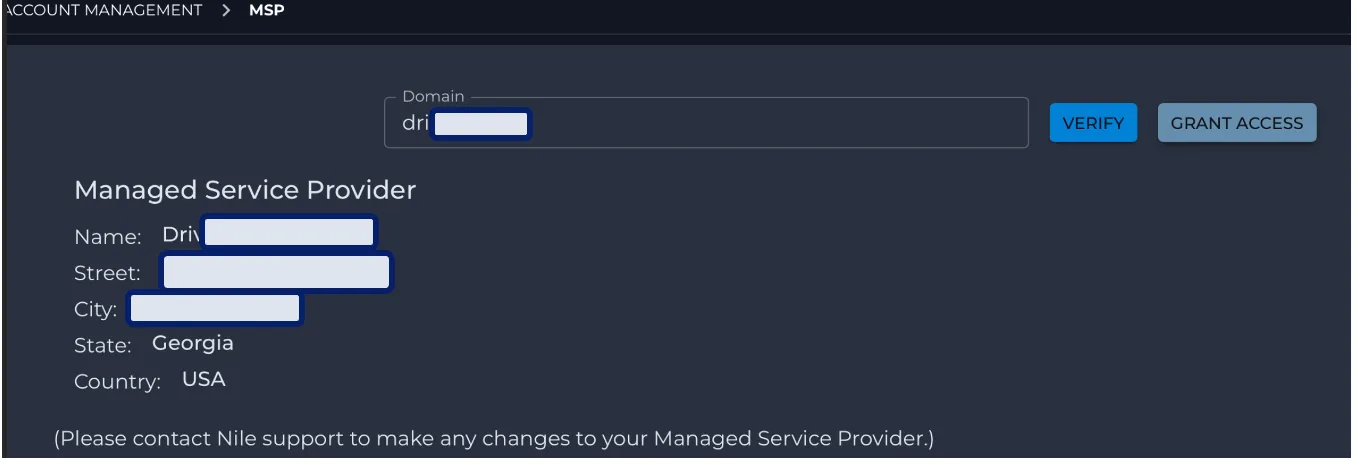
The customer then verifies and approves the MSP.
c) Tenant Access Granted
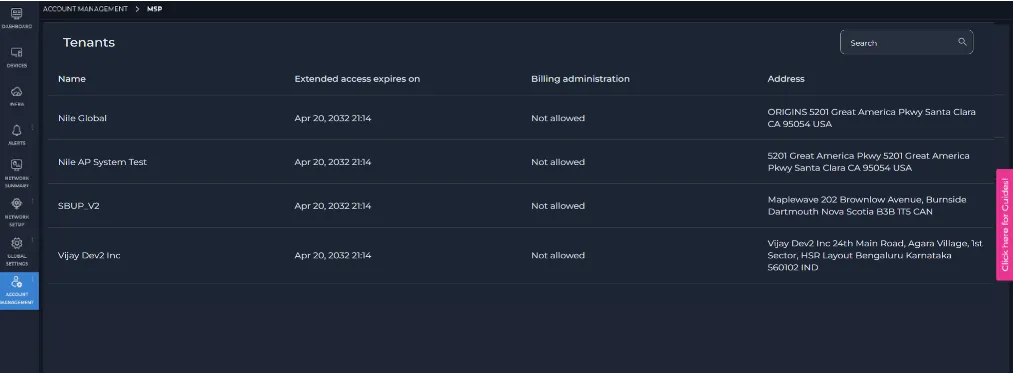
Once approved, MSP users assigned to the customer can access the customer's tenant via the MSP view.
d) User Assignment by MSP Admin
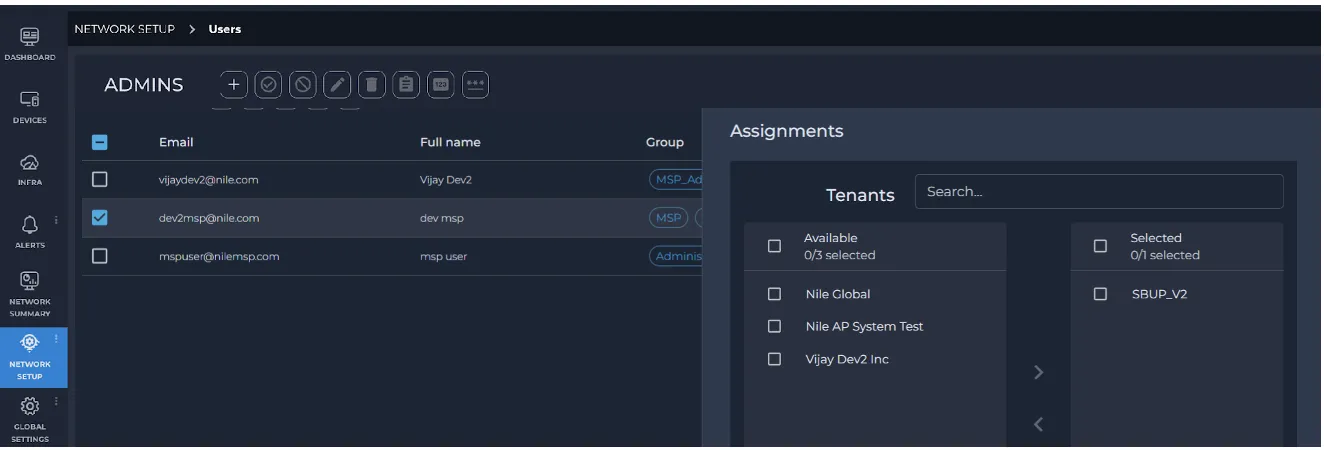
The MSP administrator is responsible for assigning specific MSP users to the customer tenant(s).