Custom hostname for Nile Elements
2 min
Custom hostname for Nile Elements (NE) - Ability to customize the Nile device hostname
Nile recognizes the need for your network team to customize the Nile devices with intuitive names, generally infused with the location of the device. Your network team can now go to Global Settings > Device Inventory > Select an AP or a Switch > Customize the name of the element to suit your operational needs.
This improves operational clarity, making it easier to identify devices by assigning intuitive, location-based names to APs and switches directly from the Device Inventory.
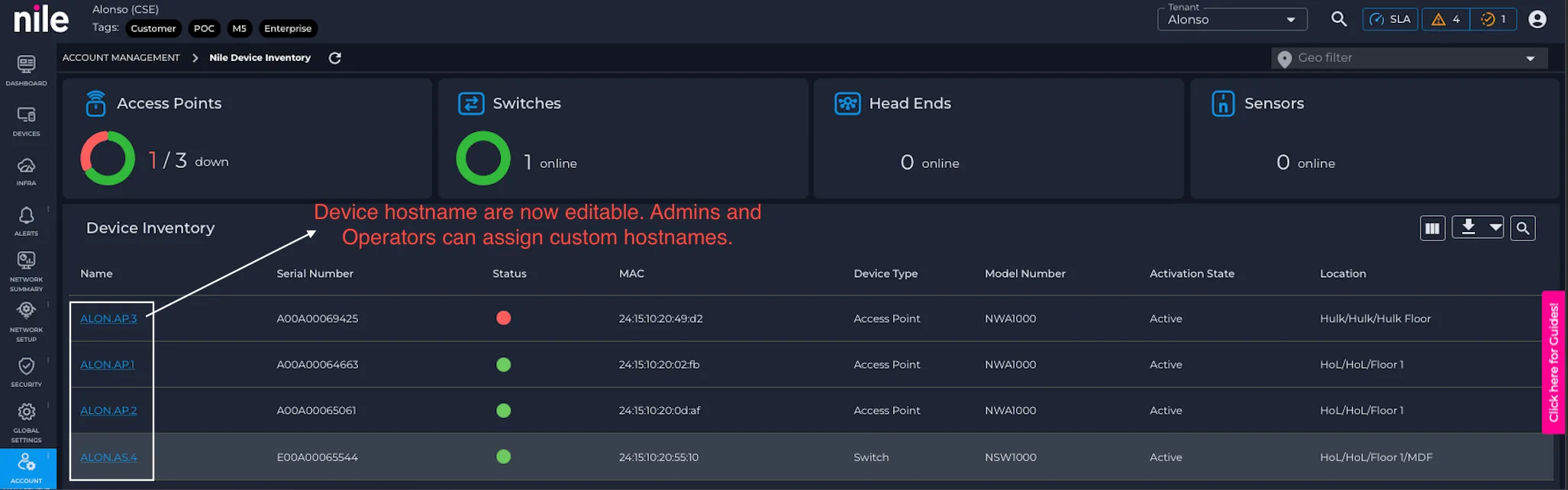
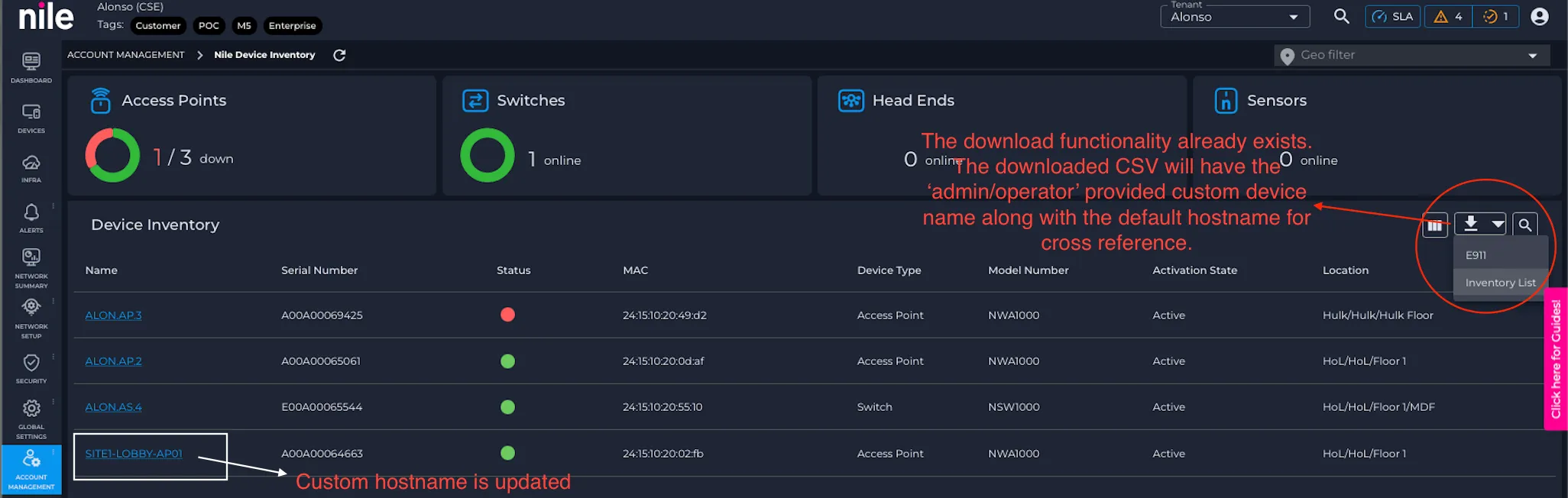
Click the device hostname to configure a custom hostname for the device.
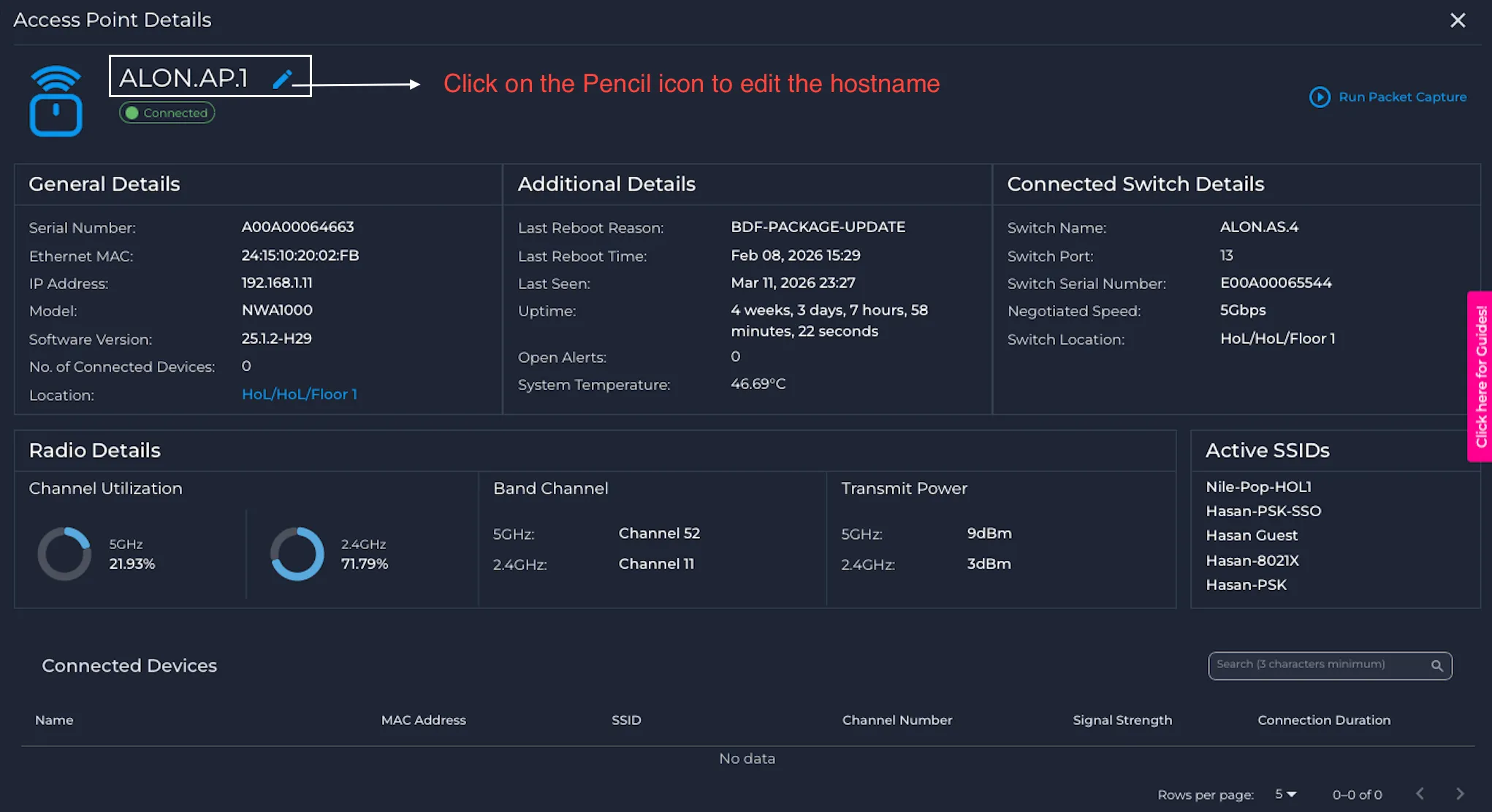
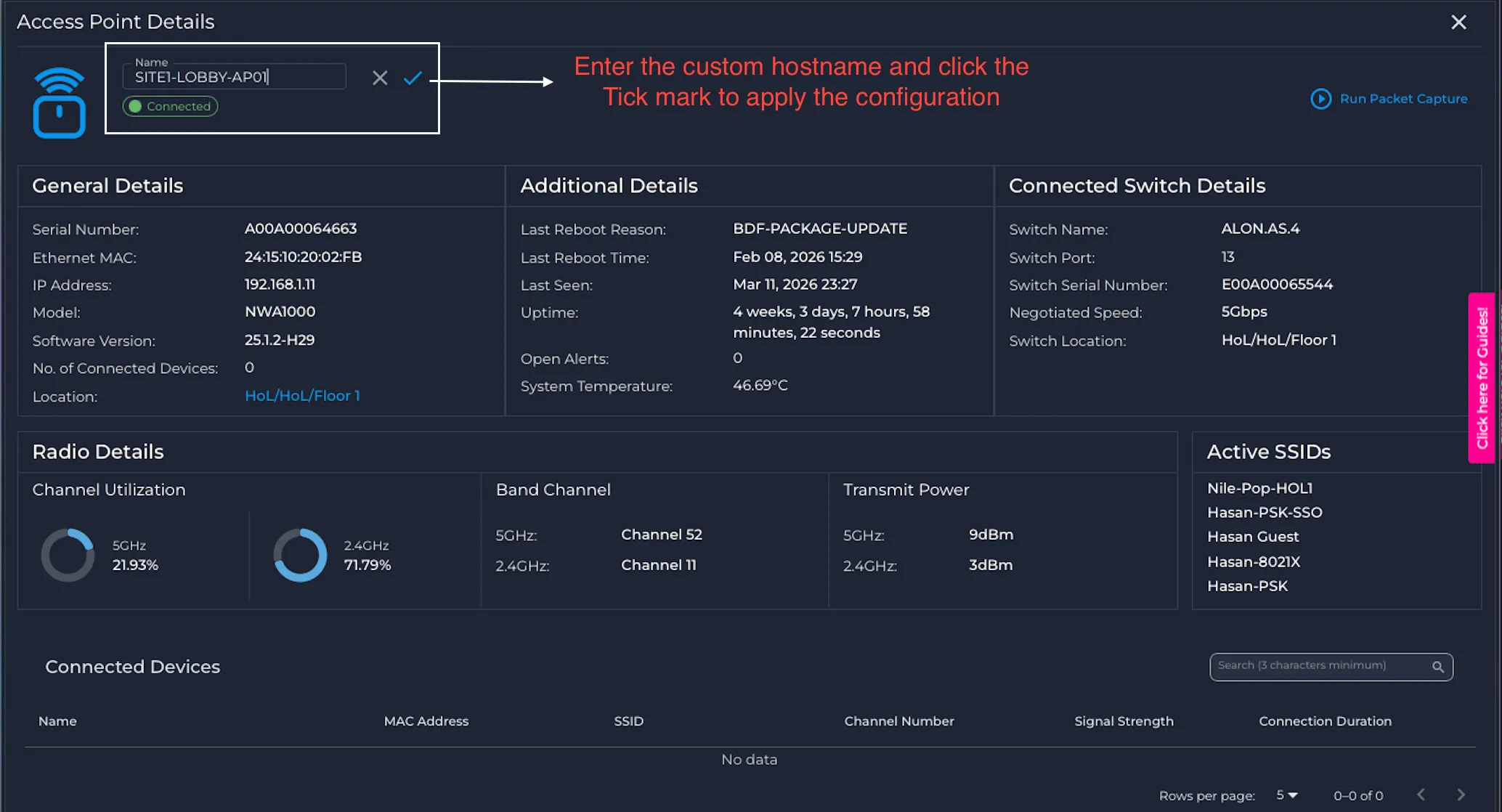
- Update the device with the custom hostname
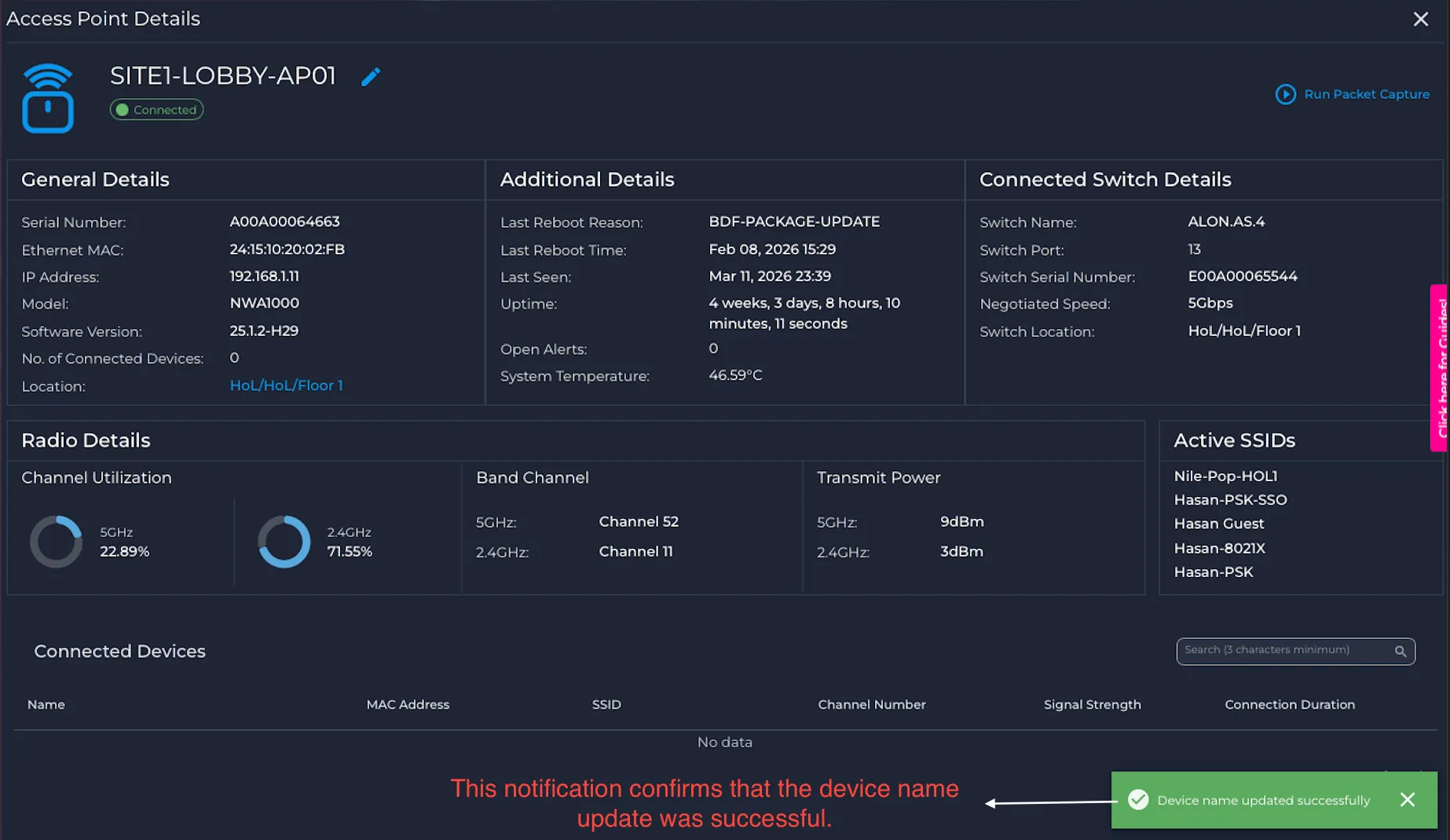
Once the custom hostname is saved, a pop-up notification appears confirming that the change was applied.
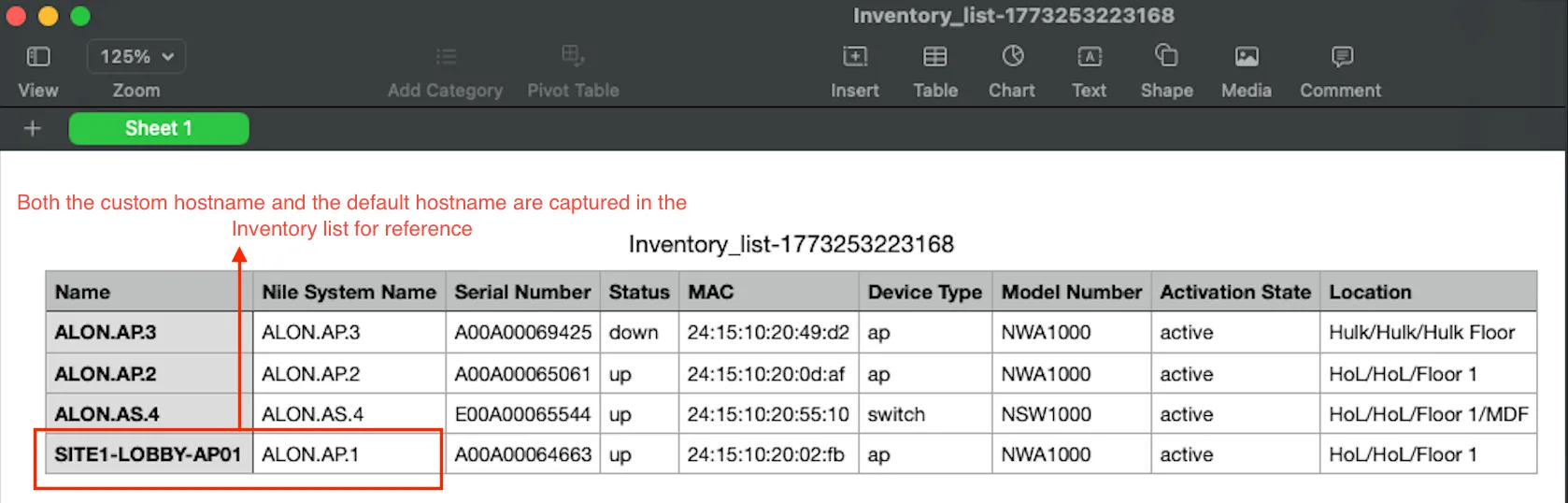
- In addition, the Download function on the Nile Device Inventory page now includes the operator/admin-modified hostname alongside other device parameters and retains the original default device name for cross-reference.
- The configured hostname is reflected in webhook notifications, so it matches your internal naming conventions and downstream systems.