Guest Access Codes API
Nile exposes a Guest Portal Access Code public API for customers who want to automate the lifecycle of guest access codes.
With this API, you can:
- Discover Guest portals that use Access Code authentication
- Create and manage generic access codes (shared codes not tied to a specific guest)
- Create and manage guest‑specific access codes (per‑guest codes with name and email tied to the access code)
- Update start or end time for the access codes as required.
- Delete Access Codes when they are no longer needed
Prerequisites
- Create a guest portal for Access Code Authentication.
- Enable a guest portal and configure its authentication type as Access Code in the Nile Cloud Services portal.
- Decide whether the portal will use generic access codes or guest-specific access codes; a single portal cannot use both models simultaneously.
- Generate API key
From the Nile Portal, go to the Security tab and create an API key.
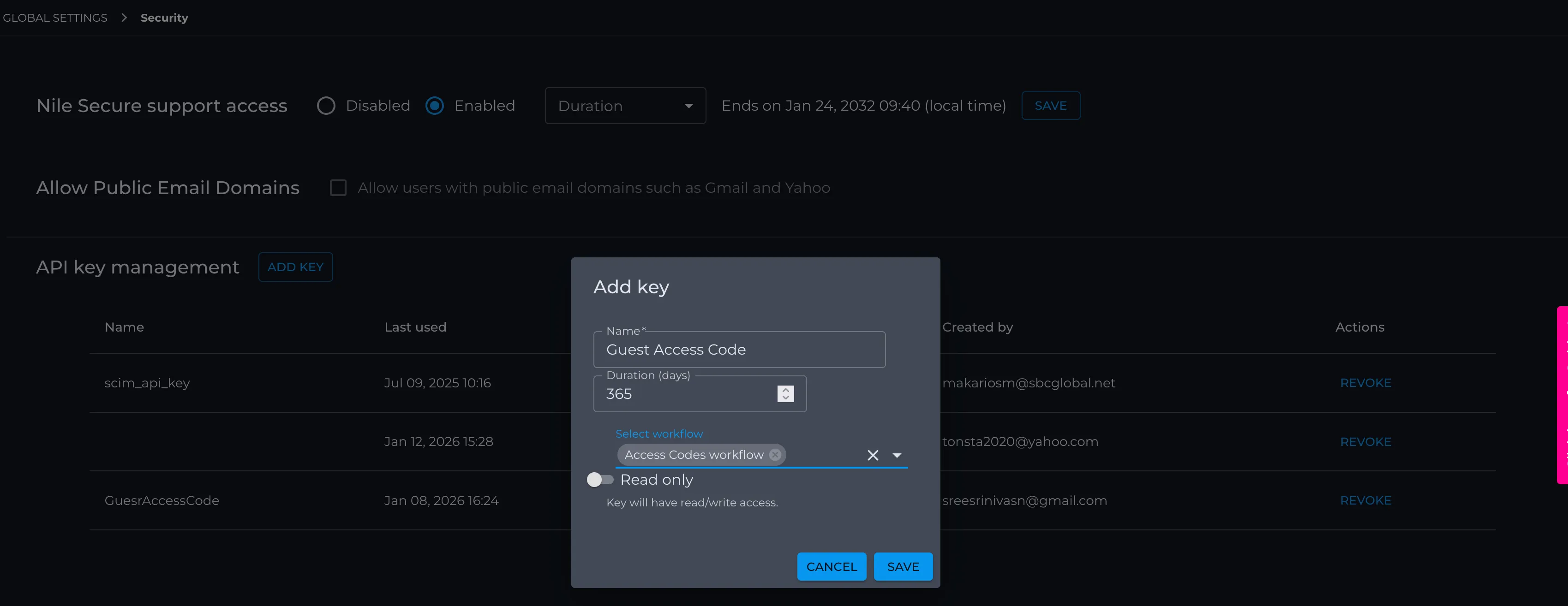
- When you save, an API key JSON file will be generated. This will look like :
- The API Token is used as a Bearer token in the Authorization header.
- The URL is the API base URL for all requests documented below.
- This key is scoped to allow only APIs in the Access Codes workflow.
Discovering Guest Portals with authentication as Access‑Code
Before creating access codes, you will need to find the portal ID for the guest portal that uses Access Code authentication using the API GET <base-url-from-nile>/api/v1/portalconfig/summary.
This will list the guest portals and identify which ones are configured with Access Code authentication.
Example request:
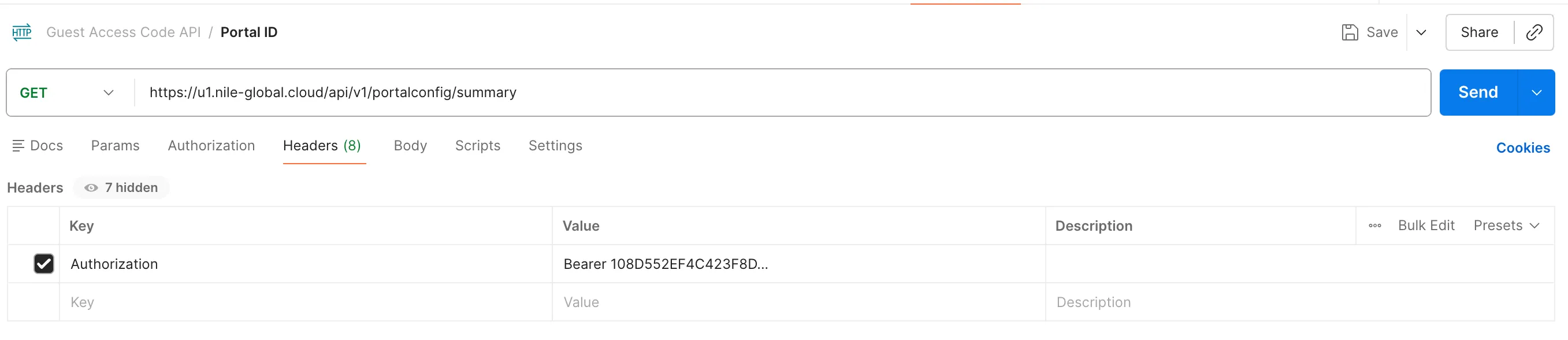
Example Response:
Key fields:
- portalType: must be "Access-Code" for use with access codes. genericAccessCode:
- true → portal uses generic access codes
- false → portal uses guest‑specific access codes
- The guest portal ID is provided in the first line of the example above as "id". This value will be used as {portalId} in all subsequent API requests.
Creating Generic Access Codes
If your portal is configured with genericAccessCode = true, the same API POST<base-url-from-nile>/api/v2/portalconfig/{portal-id}/access-codes can be used to create generic access codes that are not tied to a specific guest. These codes are ideal when you want a single access code printed in a lobby or front desk. You do not need per‑guest attribution on the backend.
Option 1: Generic Access Code
A single shared access code that can be used by multiple guests.
Characteristics:
- The administrator has the option to define a custom access code, or Nile can automatically generate one
- One access code shared across all guests
- Not tied to an individual guest
- Time-bound (start and end time)
- Simple to distribute verbally, via signage, or email
Typical Use Cases:
- Short-duration events
- Meetings or training sessions
- Temporary guest access where individual tracking is not required
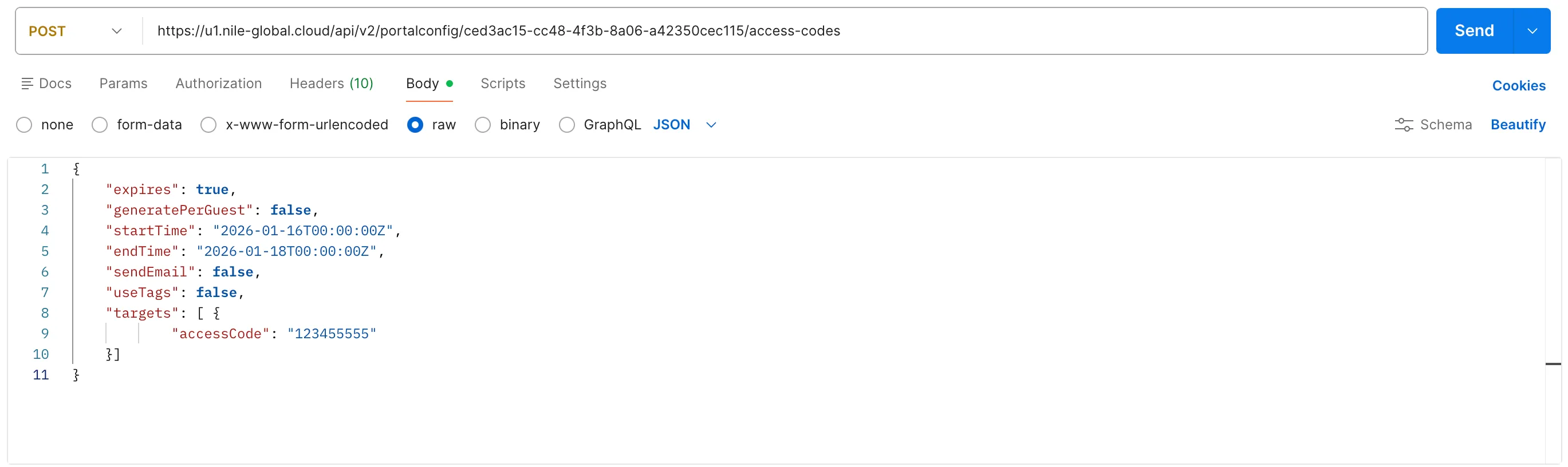
Result:
The response contains one entry per generic access code, each with its own start and end time. Because these are generic codes, no Guest Name or Guest Email fields are present, and any guest who knows a valid code can use it to gain access through that portal.
Creating Guest‑Specific Access Codes
Option 2: User-Specific Access Code
A unique access code per guest, tied to user identity.
Characteristics:
- One access code per guest. The administrator has the option to define a custom access code, or Nile can automatically generate one
- Associated with the guest's Name and Email Address
- Time-bound (start and end time)
- Enables traceability and personalized distribution
Typical Use Cases:
- Employee-hosted visitors
- Contractors or partners
- Conferences and events requiring individual access control
- Integration with helpdesk or registration systems
Once the portal is configured with genericAccessCode = false, you can create access codes that are tied to individual guests using the API POST<base-url-from-nile>/api/v2/portalconfig/{portal-id}/access-codes.
All variants of the API share the same basic request structure:
- expires – Whether the codes expire.
- startTime, endTime – Validity window (UTC, ISO 8601).
- generatePerGuest – Generate codes per guest (true) or expect them in the payload (false).
- sendEmail – Whether to send emails to guests (if configured for your tenant).
- useTags – Whether geo/tags are used.
- targets – One object per guest.
Example Request 1: Pre-defined Access Code per guest
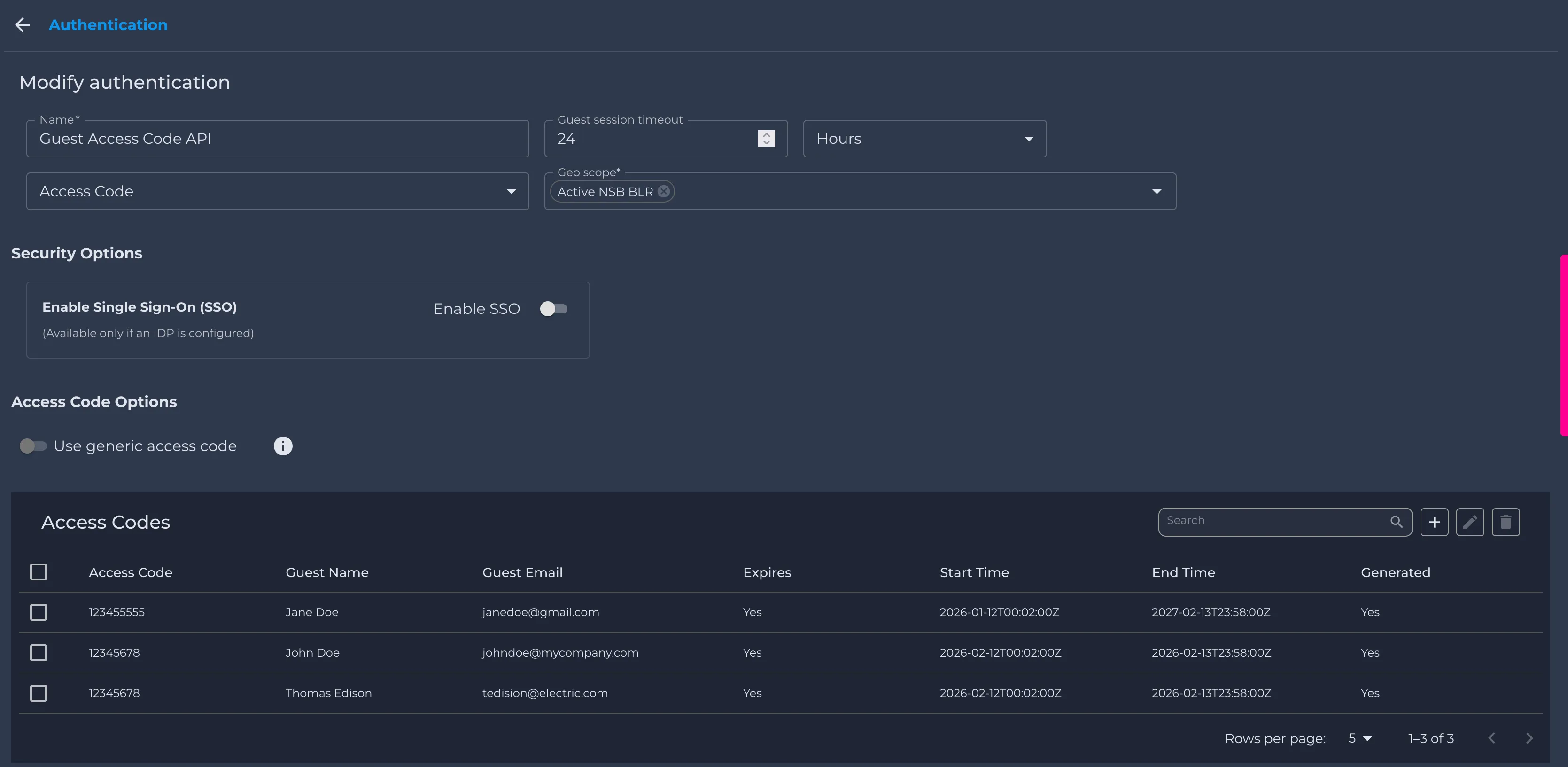
In this scenario, you must explicitly specify which access codes are assigned to each user based on their name and email. For example, for a conference, you can use the guest registration ID as the Access Code and map with guest username and email.
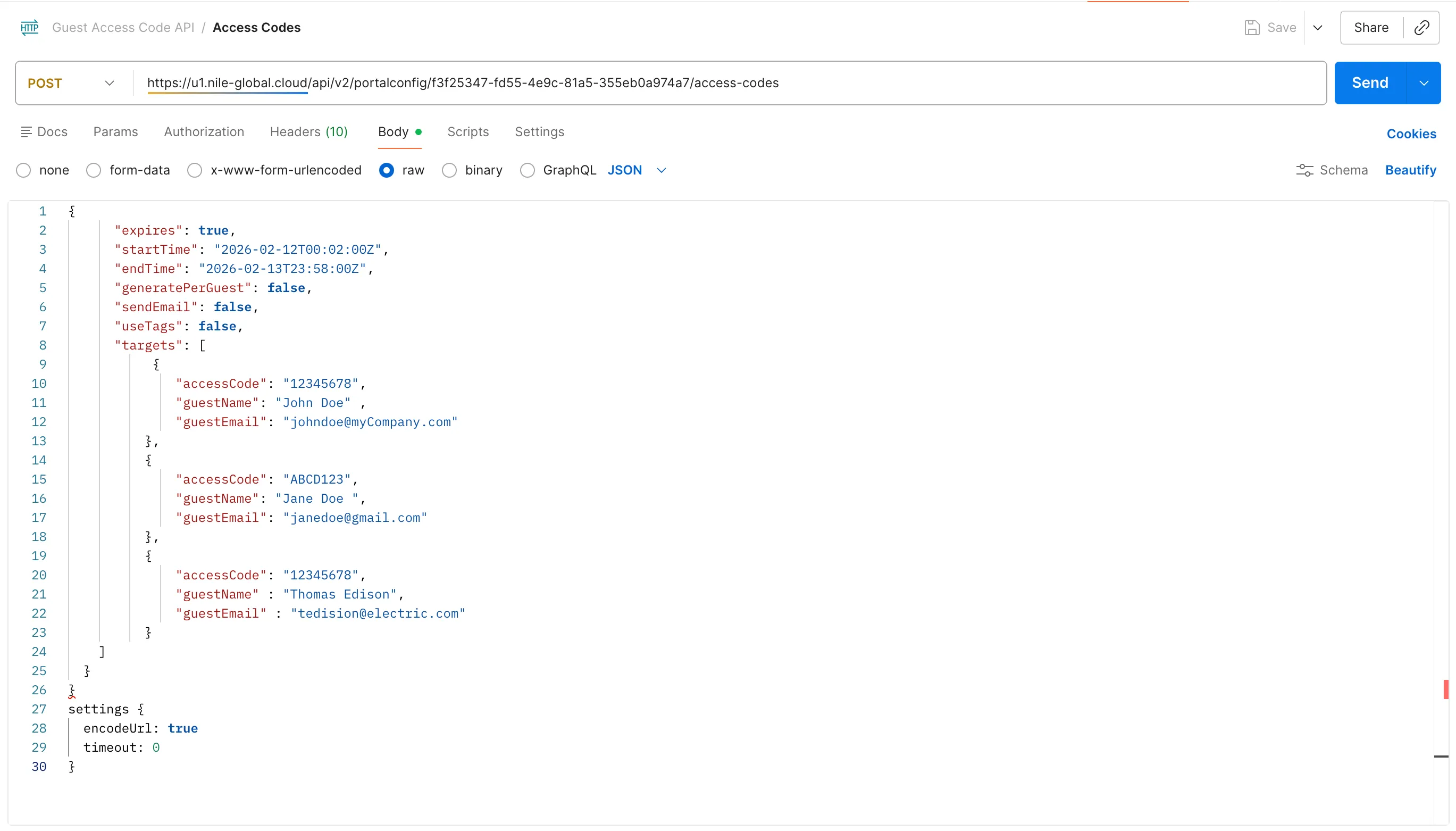
Result:
Here, the admin defines Access Code explicitly for each guest, and all guests share the same validity window.
Example Request 2: System‑generated Access Code per guest
If you are able to share codes with guests in advance, you can rely on Nile to generate access codes for each user. You only need to pass the user’s name and email as attributes via the API. For example, the help desk can generate these codes and send them to guests via email.
Result:
Nile returns a unique access code and all metadata for each guest, along with a success message such as:
"message": "Successfully created 1 access code(s)"
Example Request 3: Shared event code for multiple guests
In this scenario, a single access code is shared by multiple guests from the same organization. For example, at a conference center where several vendors/exhibitors are present, you can assign one access code per company and use it for all guests belonging to that company
Result:
The response contains one entry per guest, all with the same access code and a summary field sharedAccessCode: "EVENT2026".
Update Guest‑Specific Access Codes:
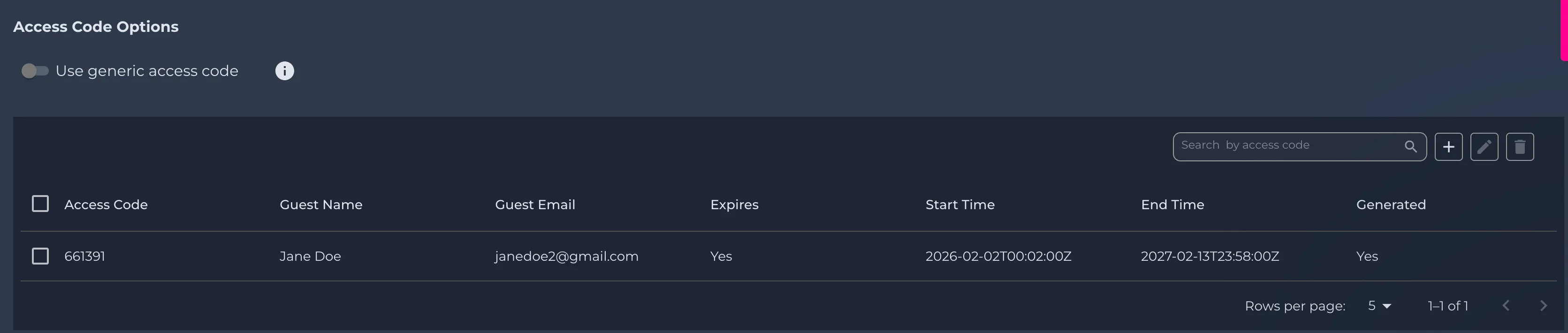
You can also update parameters such as start time, end time and Access Code for guest‑specific using the following API: PUT <base-url-from-nile>/api/v2/portalconfig/{portal-id}/access-codes.
You will have to provide the guest email and name as attributes in the request body as they remain contsant and cannot be updated.You must include the guest’s email and name as attributes in the request body because these values are fixed at creation time and cannot be modified later
Example Request: Updation of Access Codes
Result:
If a matching entry exists for the specified email, the parameters get updated for the same.
GET System Generated Access Codes:
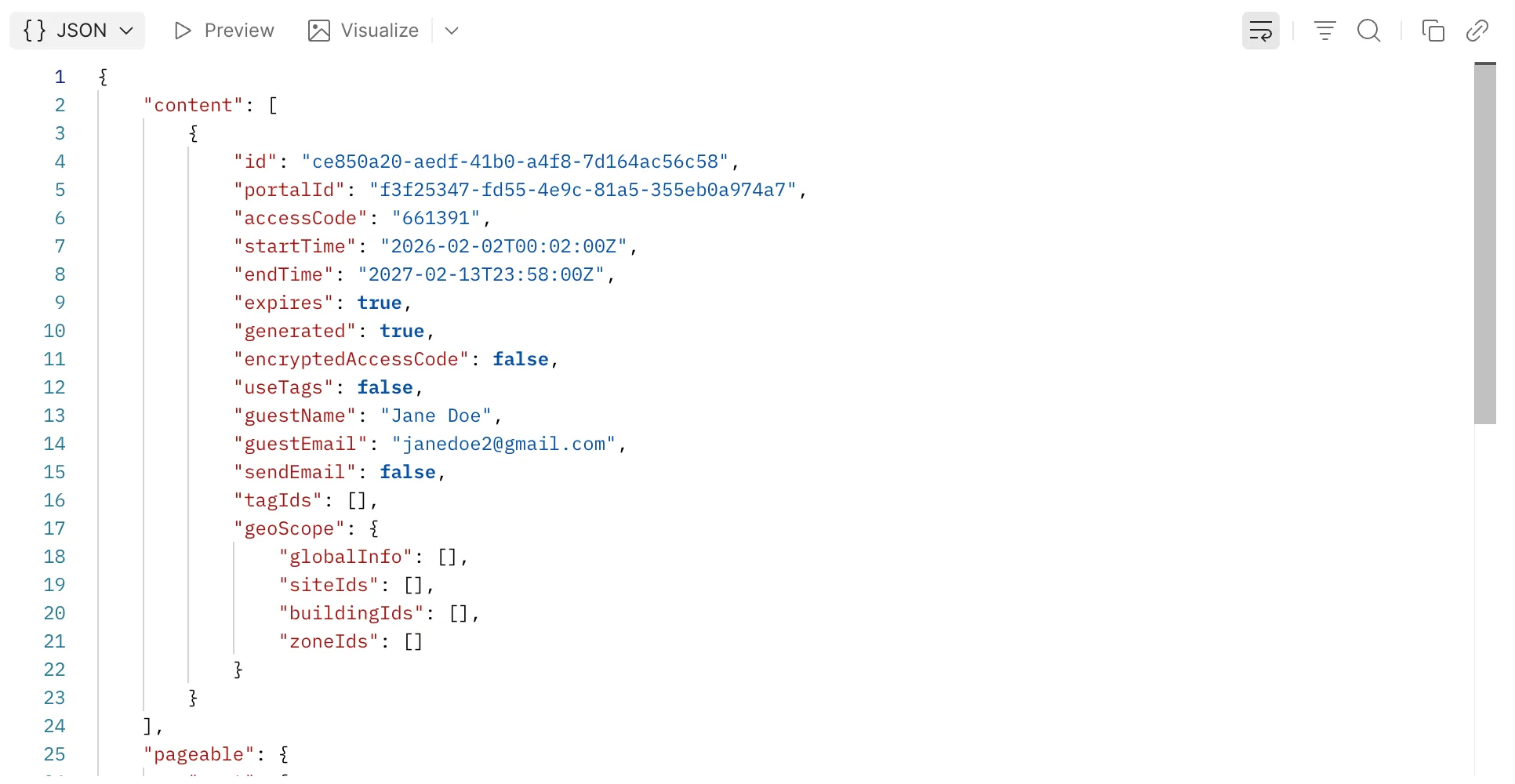
Use the API to obtain a system-generated access code by sending a GET request to: <base-url-from-nile>/api/v2/portalconfig/{portal-id}/access-codes.
Deleting Guest‑Specific Access Codes:
Once the event is completed, you can clean up guest‑specific access codes by deleting them using the following API: DELETE <base-url-from-nile>/api/v2/portalconfig/{portal-id}/access-codes.
You will have to provide the guest email and name as parameters in the request body.
Example Request: Deletion of Guest Access Code
Result:
If a matching entry exists for the specified email, the API returns HTTP 204 No Content to indicate that the delete operation succeeded.