Nile Network Topology
1 min
The Topology view provides a visual map of how a site’s Nile Fabric connects to the upstream network. For each site, it displays the upstream routers/ISPs and Nile gateways, along with the configured uplink connections and their status, so customers can quickly see how their fabric is connected upstream
Steps to view the Network Topology:
- Log in to the Nile Portal with an admin account. Go to Network Setup → Service Areas → Sites. The Sites panel on the left shows all sites, and when collapsed, each site shows the number of buildings it contains for easier navigation.
- In the Sites list, hover over the site you want to review and click the Edit icon. The main pane updates to show that site’s details with the GENERAL INFO, MAINTENANCE, and TOPOLOGY tabs at the top.
- Click the TOPOLOGY tab. If you manage more than one location, use the Select Topology dropdown on the right to focus on the specific building or topology you want to review.
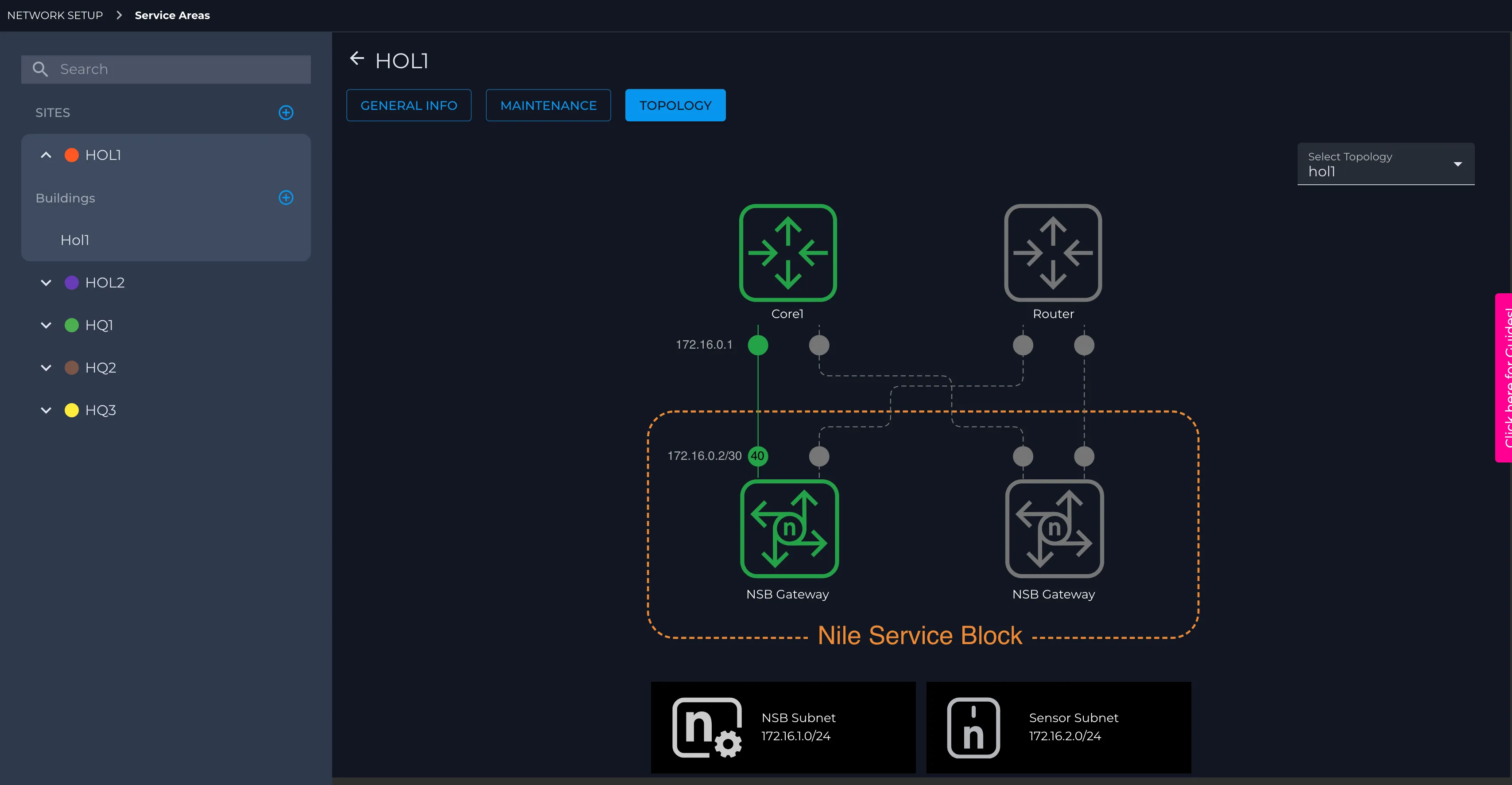
- Review the topology diagram to understand how the selected site or building is connected, which Nile gateways and upstream devices are present, and how the NSB subnet and sensor subnet are laid out.
- Use the Topology view whenever you need a quick visual reference for troubleshooting, validating uplinks, or confirming which location and gateways you are working on.
If the Topology option is missing or the diagram does not load for any reason, please contact Nile Support or your Customer Success Manager.