Nile SIEM Integration Pull Mode
Overview
The SIEM Events Pull model is designed for customers whose SIEM platform polls Nile APIs from within their environment to retrieve SIEM events.
This workflow uses an API key generated in Nile Portal. Before the SIEM starts polling for events, you must create the API key and enable the SIEM Events Pull integration.
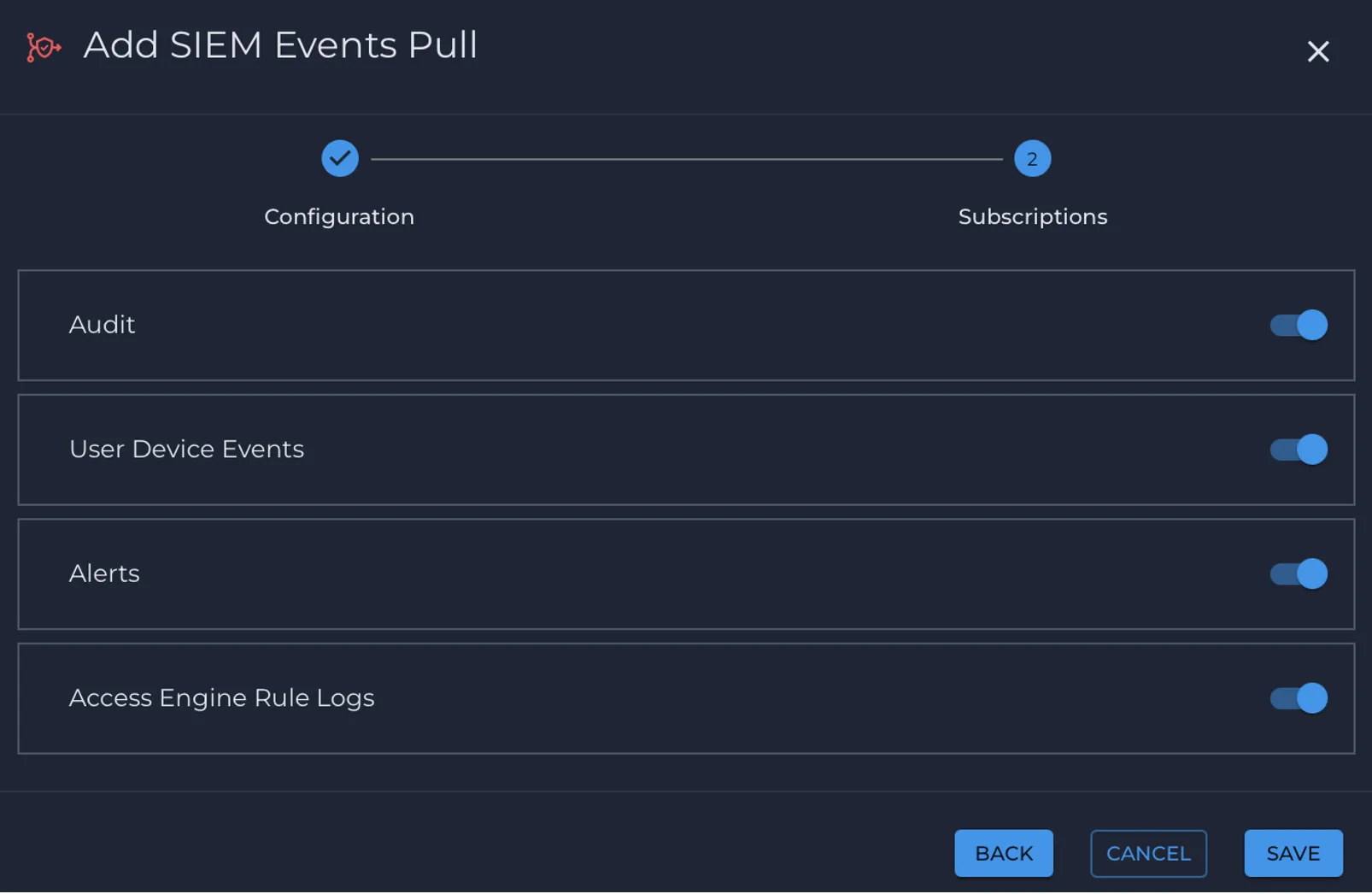
This model supports Audit, User Device Events, Alerts, and Access Engine Rule Logs.
Prerequisites
- Access to Nile Portal with permission to manage API keys and SIEM integration settings.
- A SIEM platform that supports API-based polling.
- A dedicated API key created in Nile Portal at Global Settings > API Key Management > Add Key.
- If the maximum number of API keys has been reached, revoke an unused key before creating a new one.
- Events are retained for 1 day, so configure the polling frequency accordingly.
- API keys are valid for 365 days. Regenerate the key before it expires.
Please note that API Option is only available for Administrator role.
Setup Steps
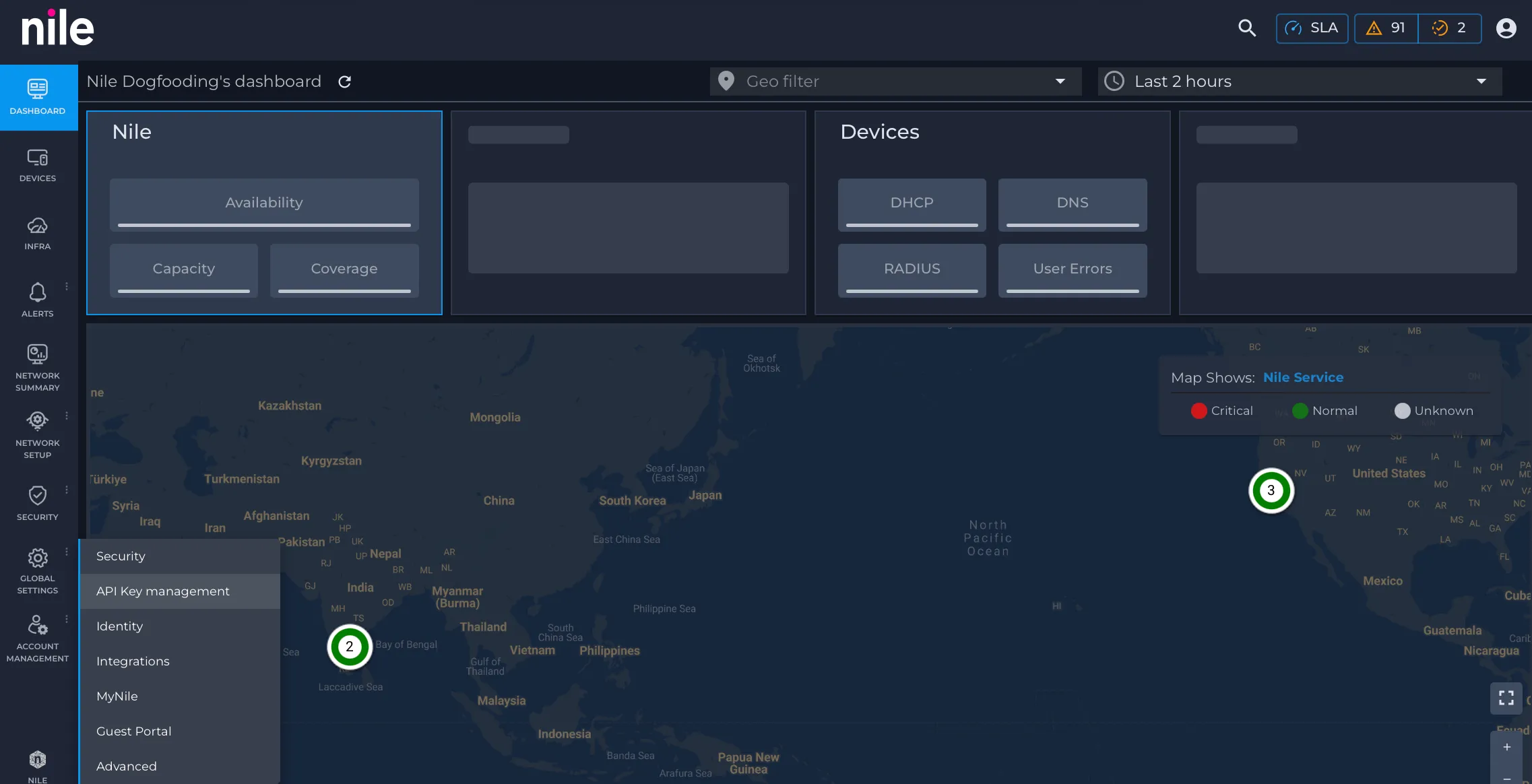
- Go to Global Settings > API Key Management.
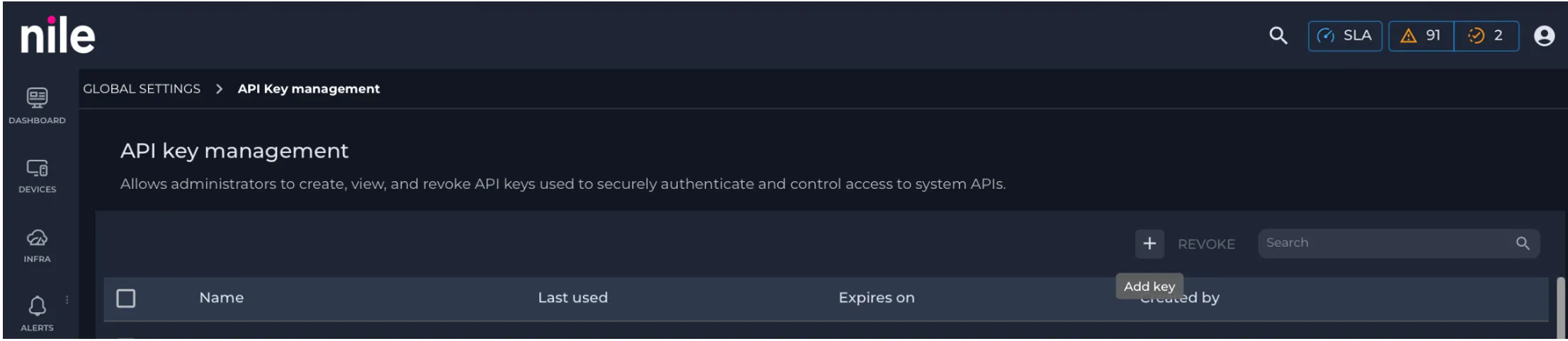
- Click the + icon to create a new key.
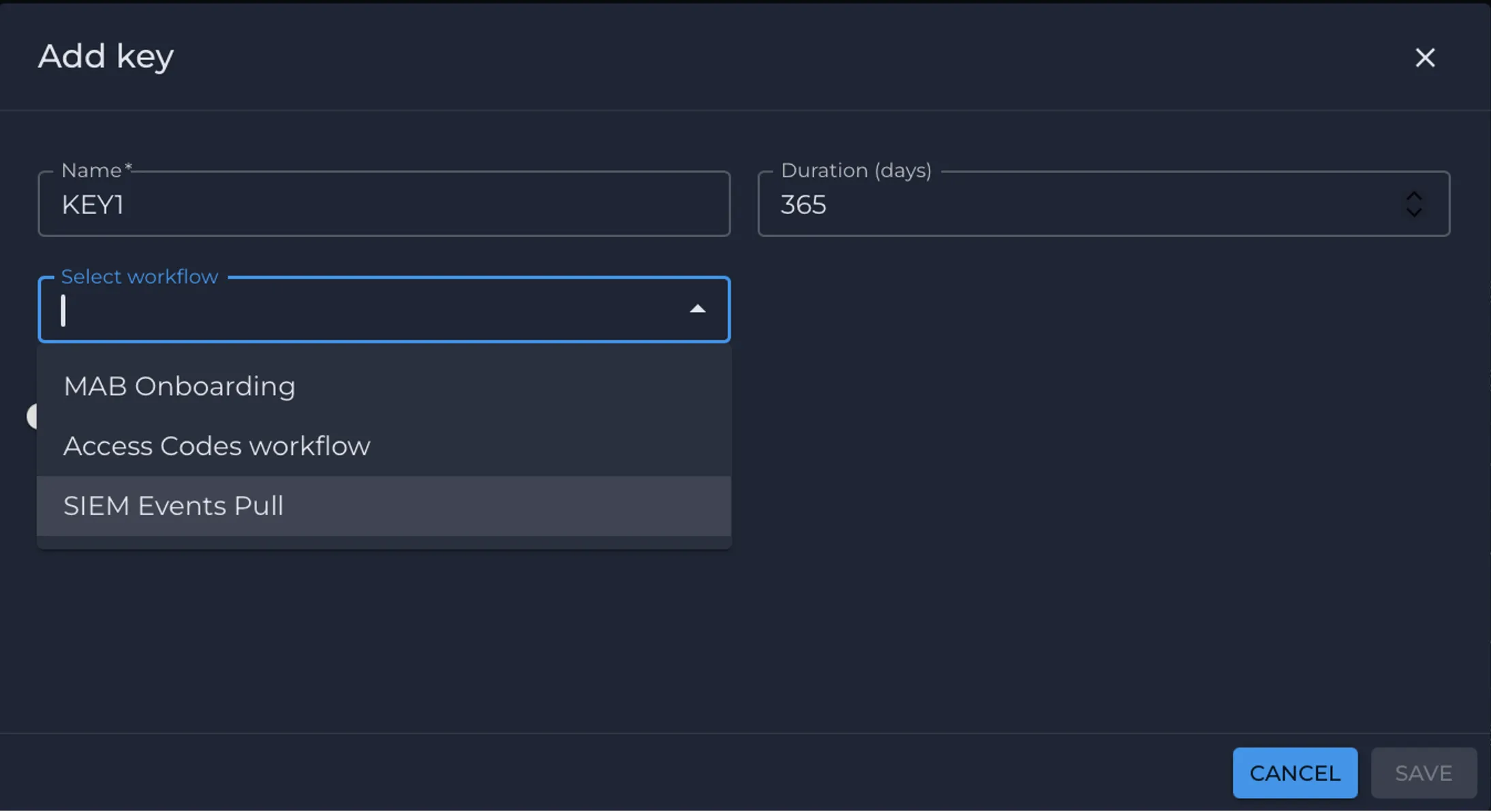
- From the Select workflow list, choose SIEM Events Pull.
- Click Save to create the API key.
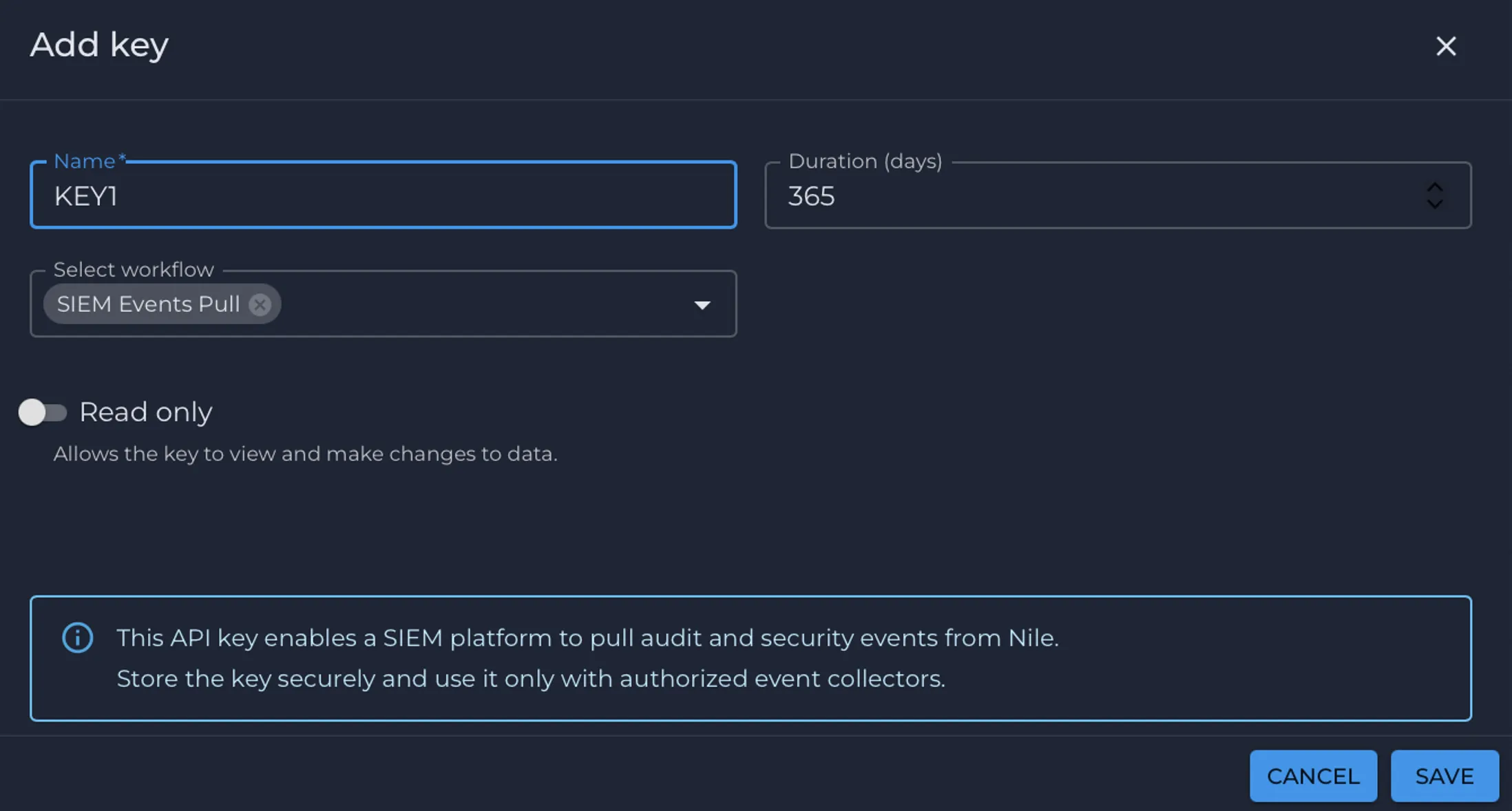
- Download the API key and store it securely.
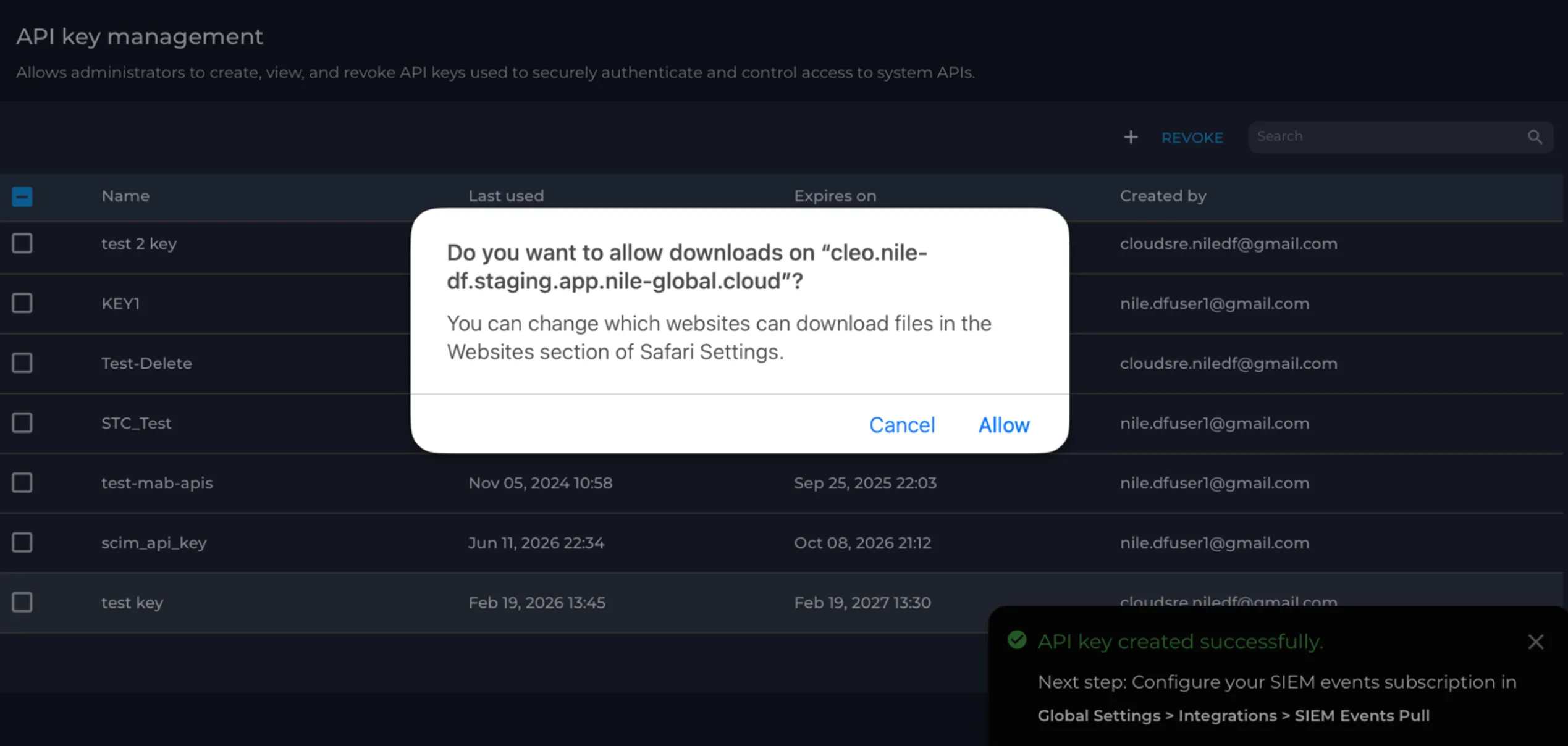
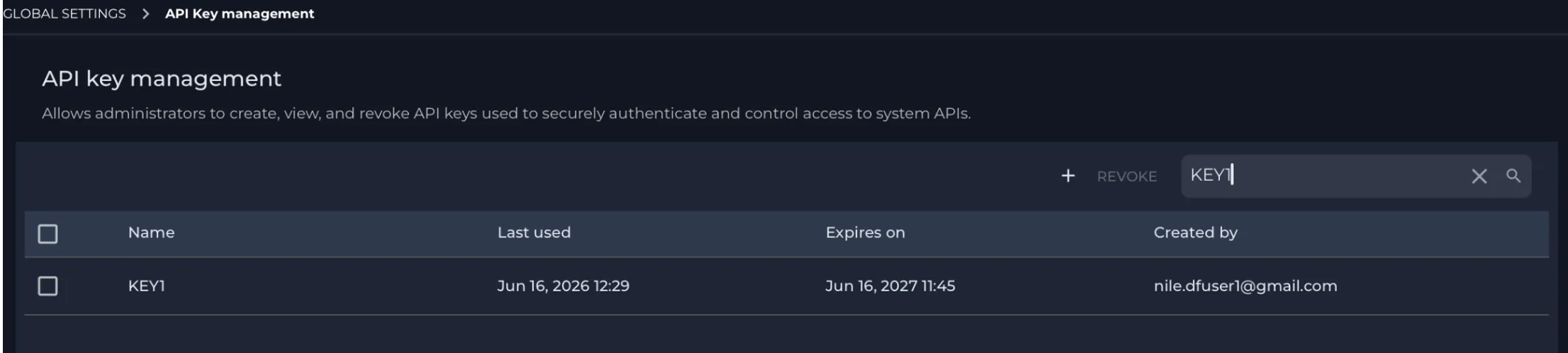
- Confirm that the key appears in Global Settings > API Key Management.
- Go to Global Settings > Integrations.
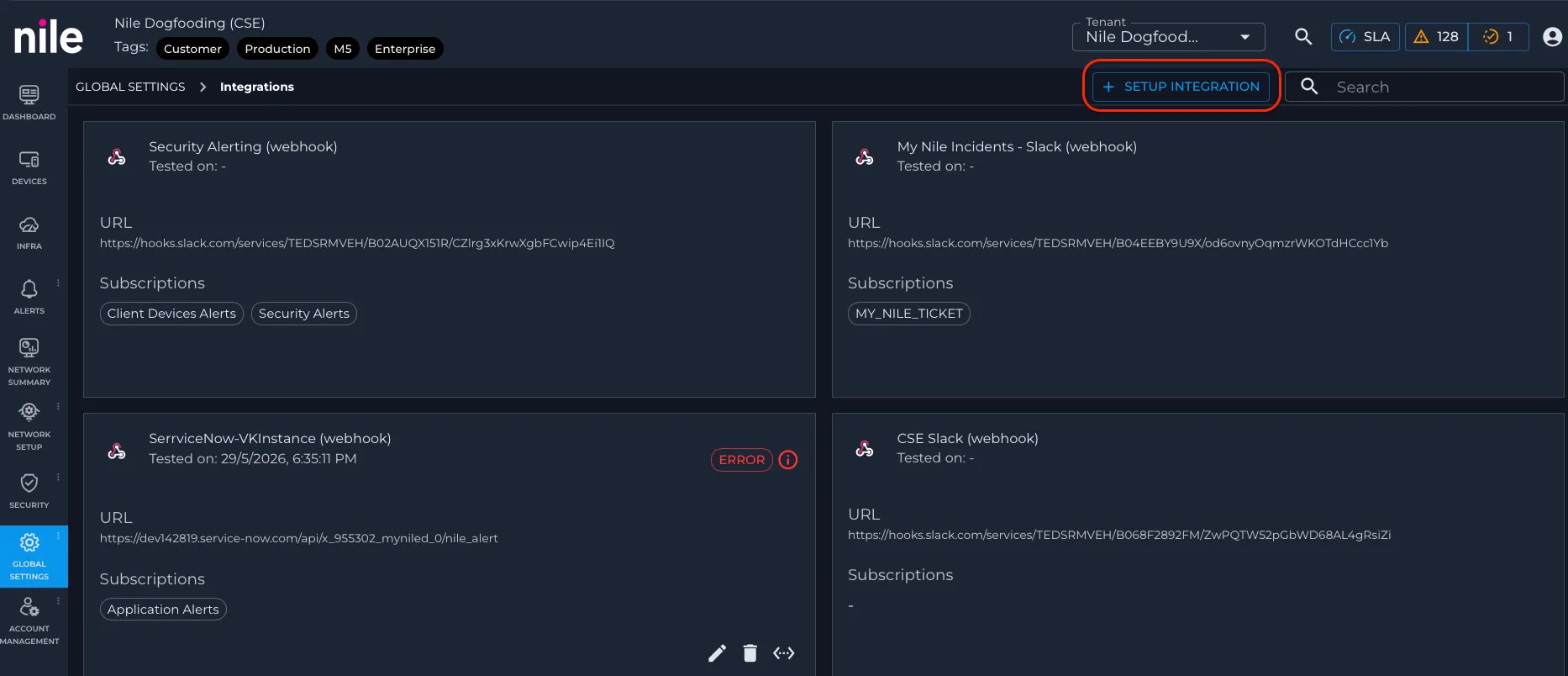
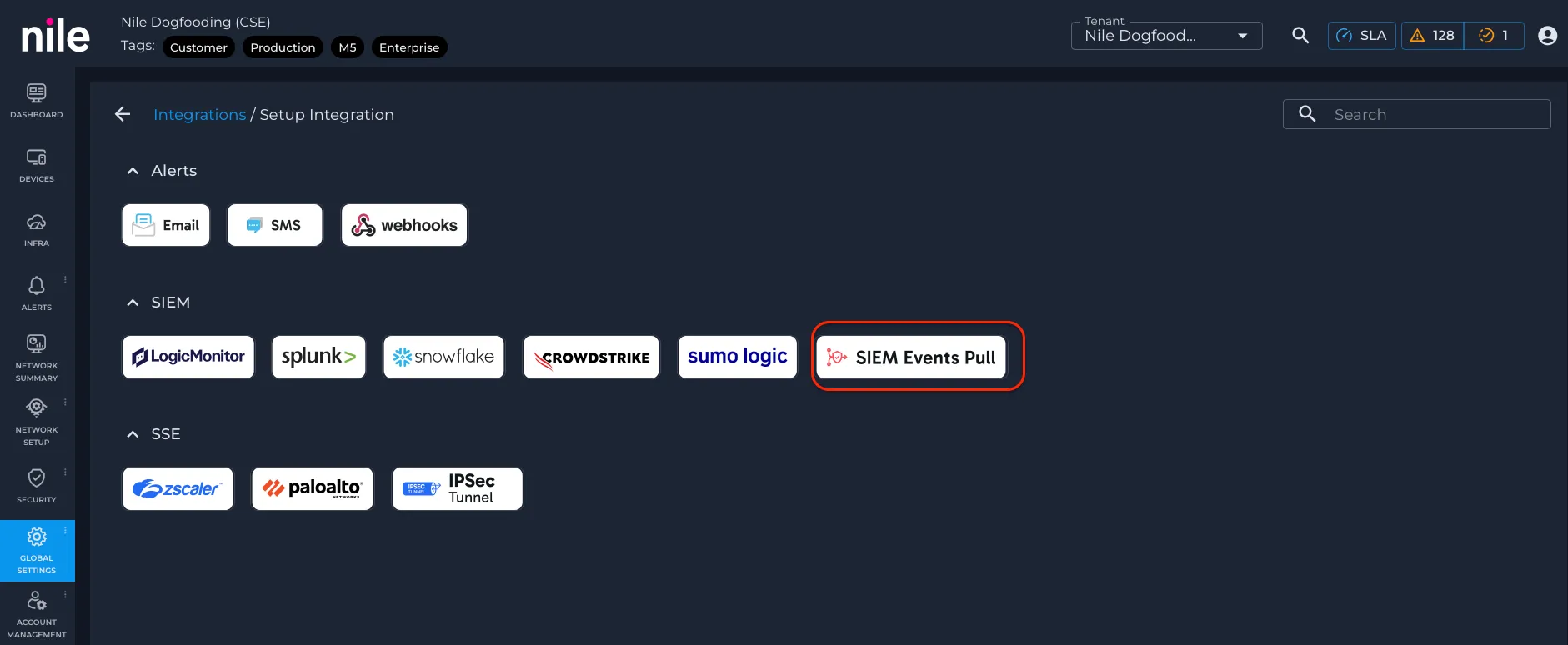
- Click + Setup Integration, then select SIEM Events Pull under SIEM.
- Enter "default" as the configuration name, then click Next.
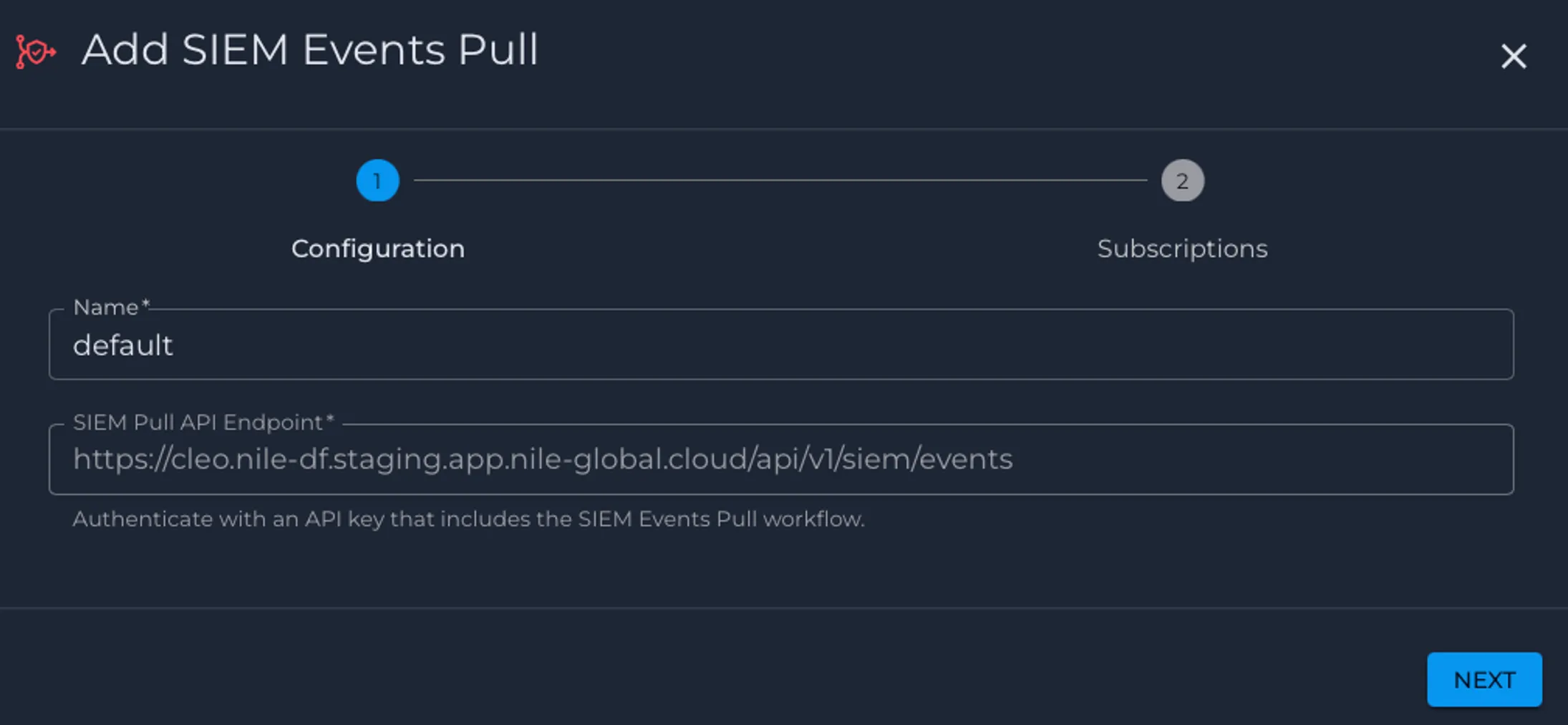
- Enable the required subscriptions and click Save.
- Confirm that the integration appears in Global Settings > Integrations.
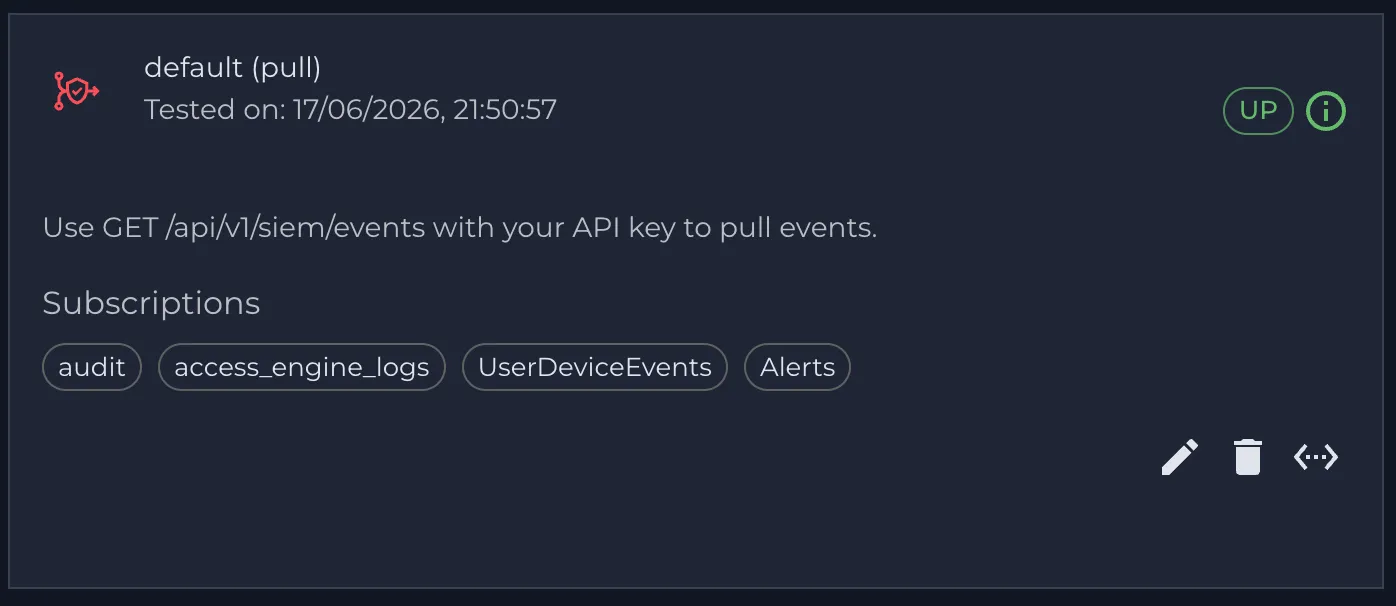
Steps to verify SIEM integration:
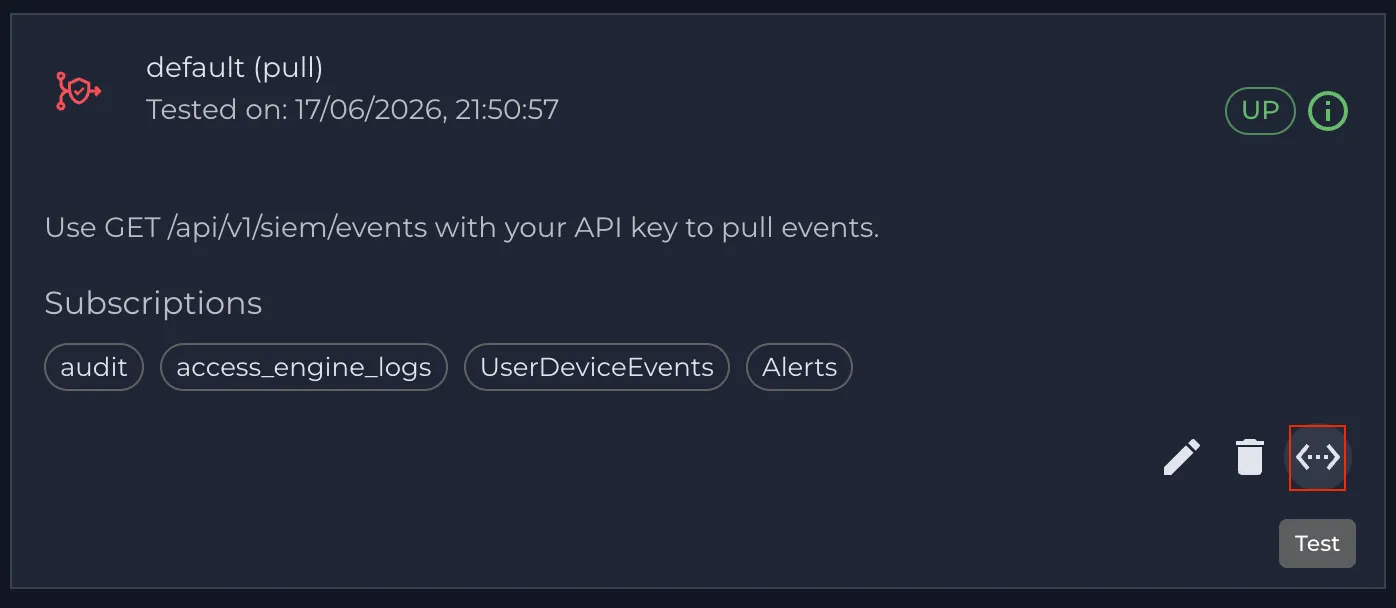
- Click the Test icon to validate the event.
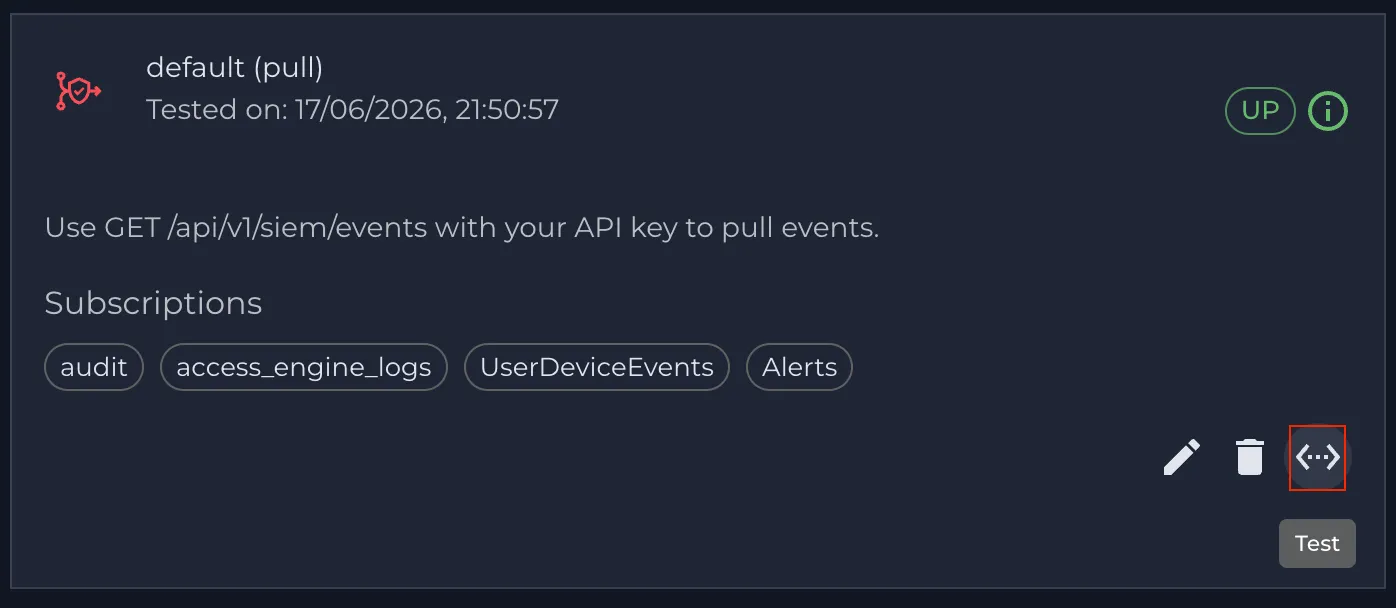
- Confirm that Alerts > Audit Trail shows events such as API key creation, SIEM Events Pull integration creation, and the test connection event.
API call to retrieve SIEM events:
Use this call for the initial request if you do not yet have an offset.
Response:
For subsequent requests, pass the offset (862613162606272857) of the last event returned by the previous response:
- Count: Number of events to retrieve. Allowed values are 1 to 500. If omitted, the default value is 100.
- lastEventOffset: Offset of the last event returned in the previous response. If omitted, the API returns the earliest available pull events.
Note: Store the latest returned offset after each poll and use it in the next request to continue retrieving new events without re-reading older events.
This SIEM test event was generated by clicking the Test icon: