Nile Support Access
1 min
Following Nile's commitment to security, by default our support teams are not able to look at any of the end device data and do not have access to the following pages on the Nile Portal:
- Devices tile on the landing page
- Devices page
- Summary Dashboard
- Access Management tab in Settings
So, before you open a Nile Technical Support case, ensure that you enable Nile Secure Support access to the devices on the portal. This ensures that the support team has access to the details of the devices so that they can help you troubleshoot a problem.
To enable support access, navigate to Settings >> Global Settings >> Security
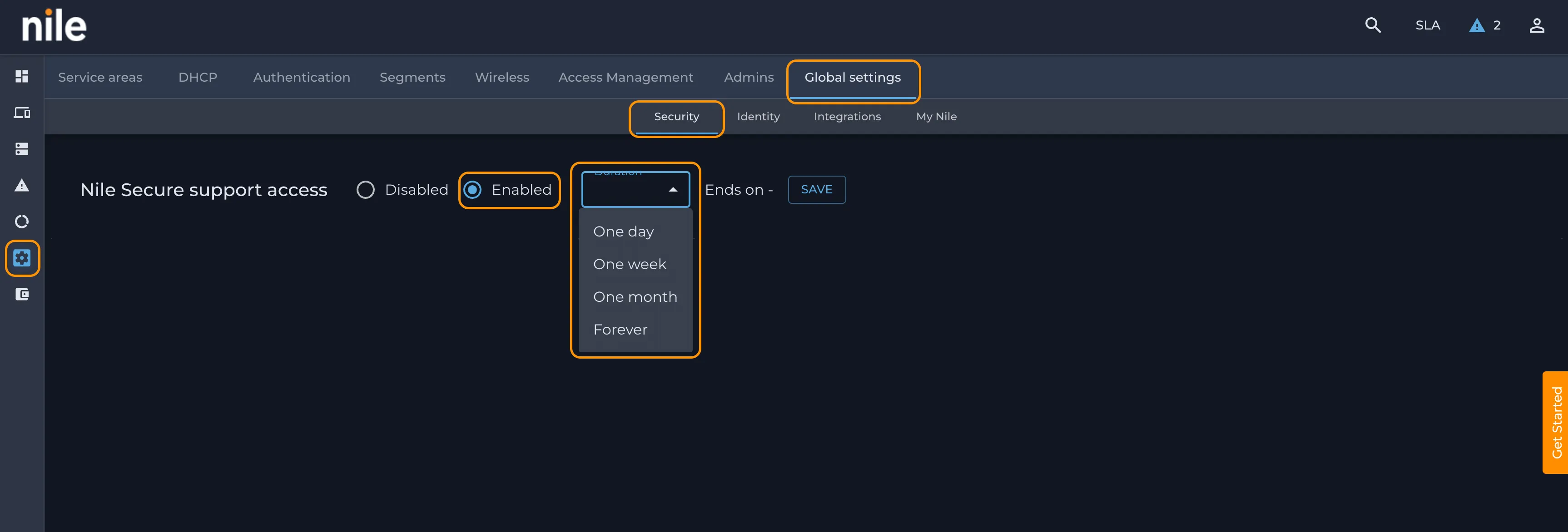
Select the "Enabled" option and click the "Duration" dropdown and select one of the available options and click "Save".