Webhook Enhancements
3 min
The Nile Portal now includes the following webhook enhancements.
Custom hostname for Nile Elements (NE)
- You can now configure a custom hostname for Nile Elements.
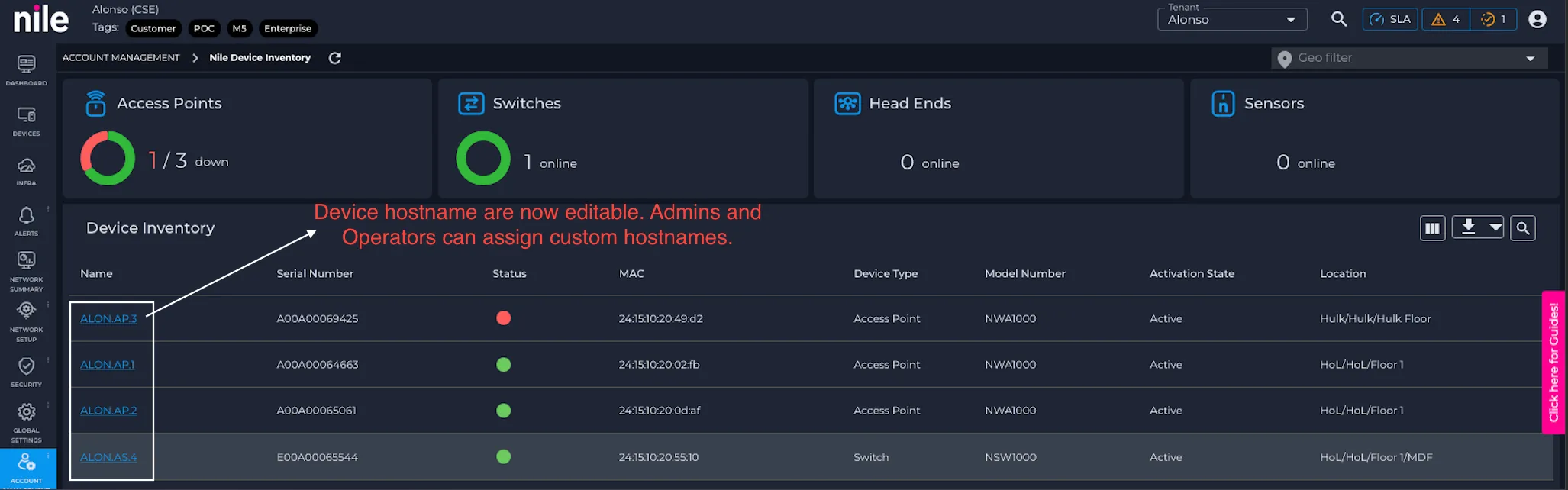
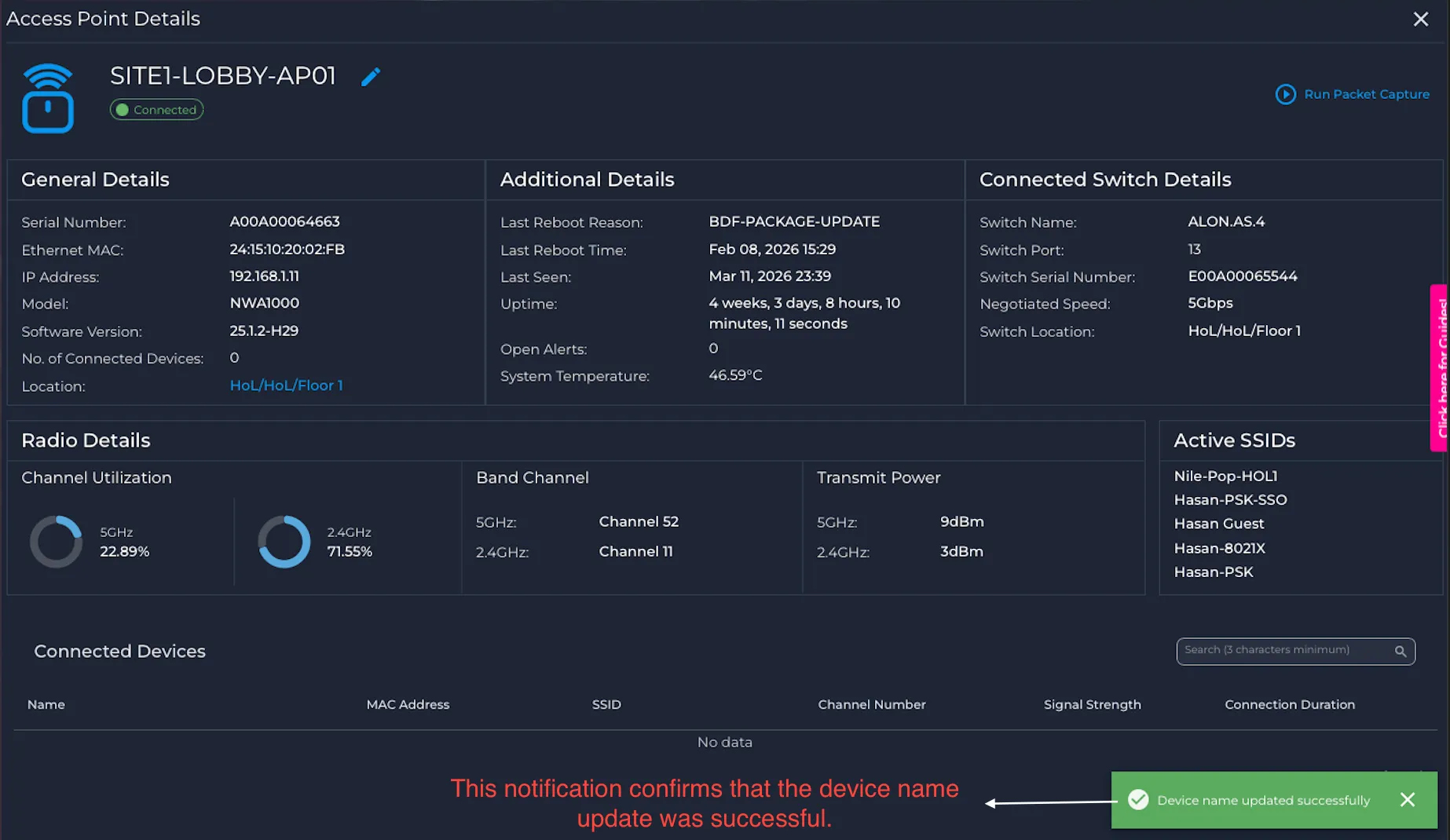
Click the device hostname to configure a custom hostname for the device.
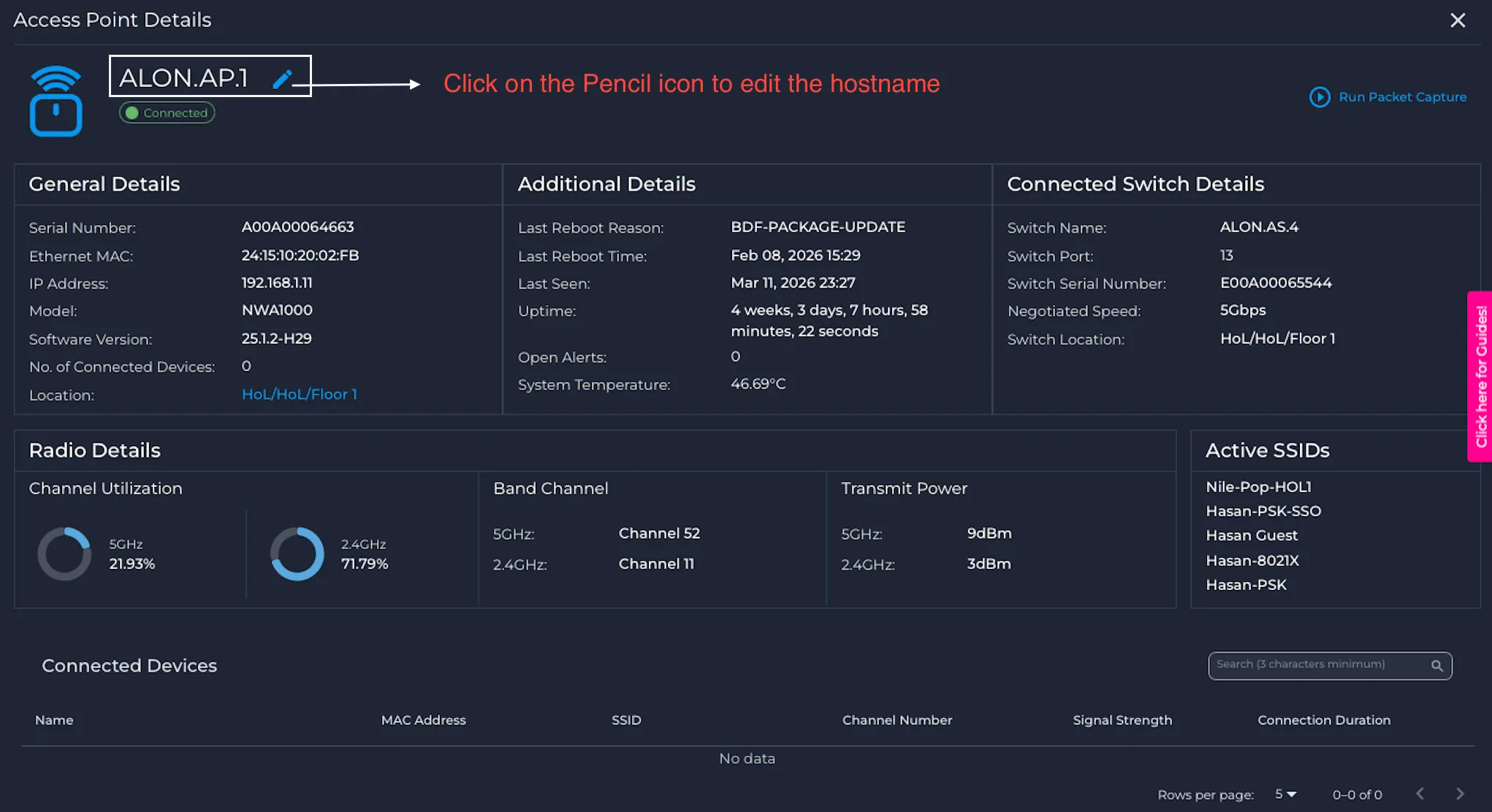
- Update the device with the custom hostname
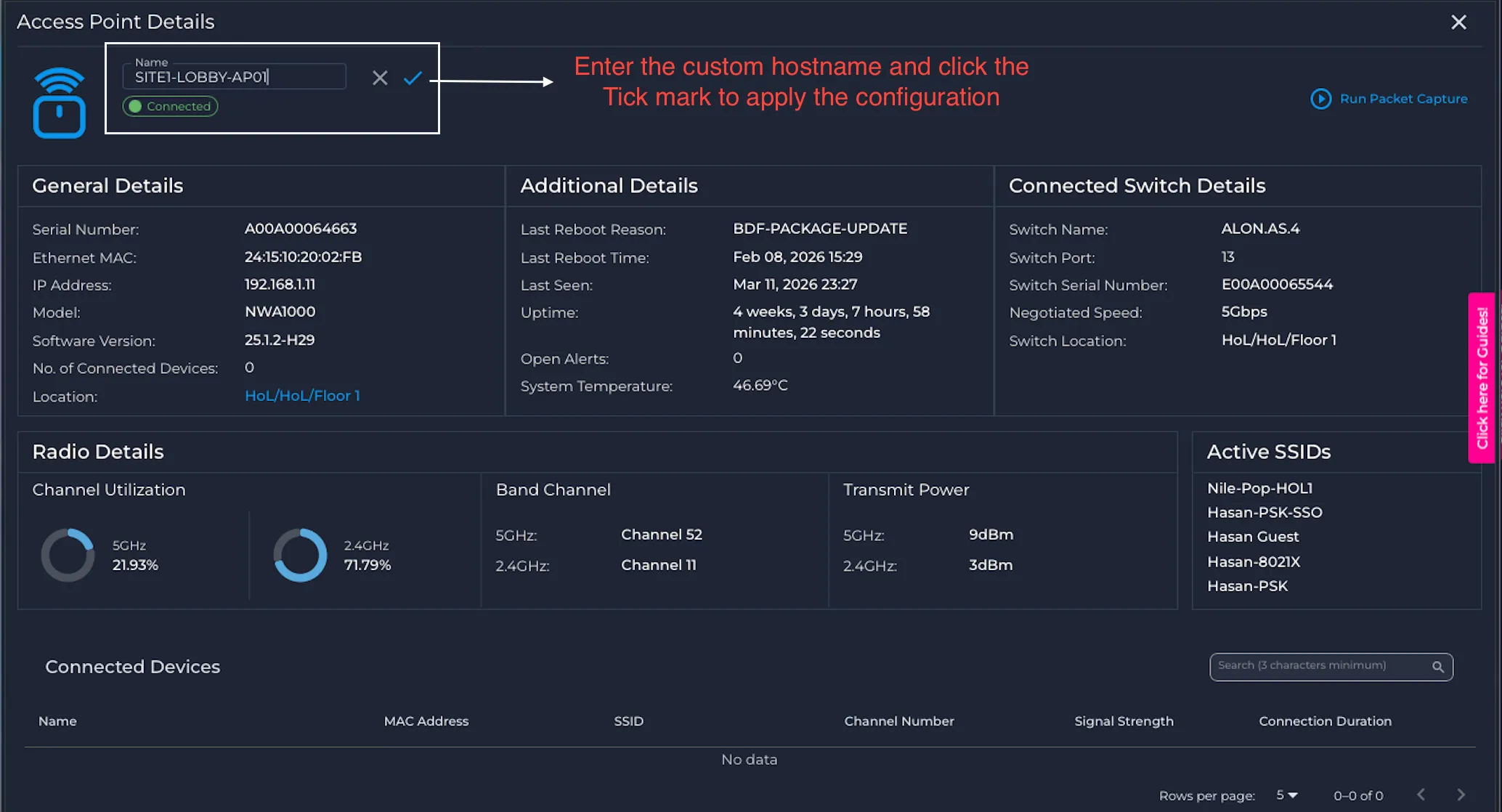
Once the custom hostname is saved, a pop-up notification appears confirming that the change was applied successfully.
- In addition, the Download function on the Nile Device Inventory page now includes the operator/admin-modified hostname alongside other device parameters and also retains the original default device name for cross-reference.
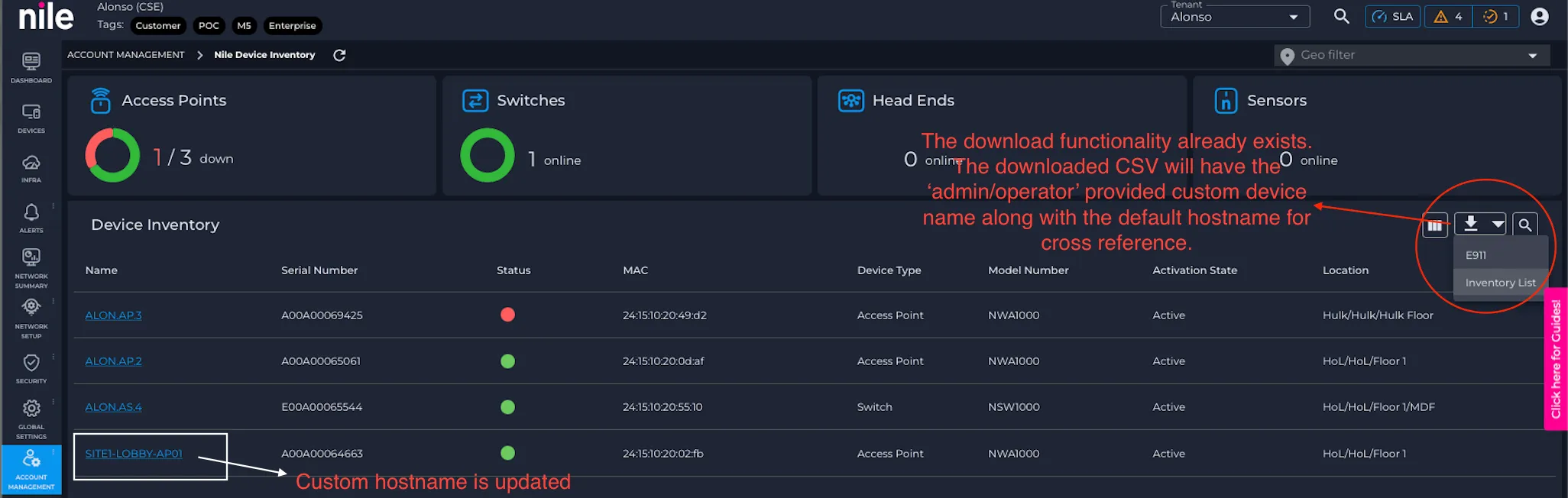
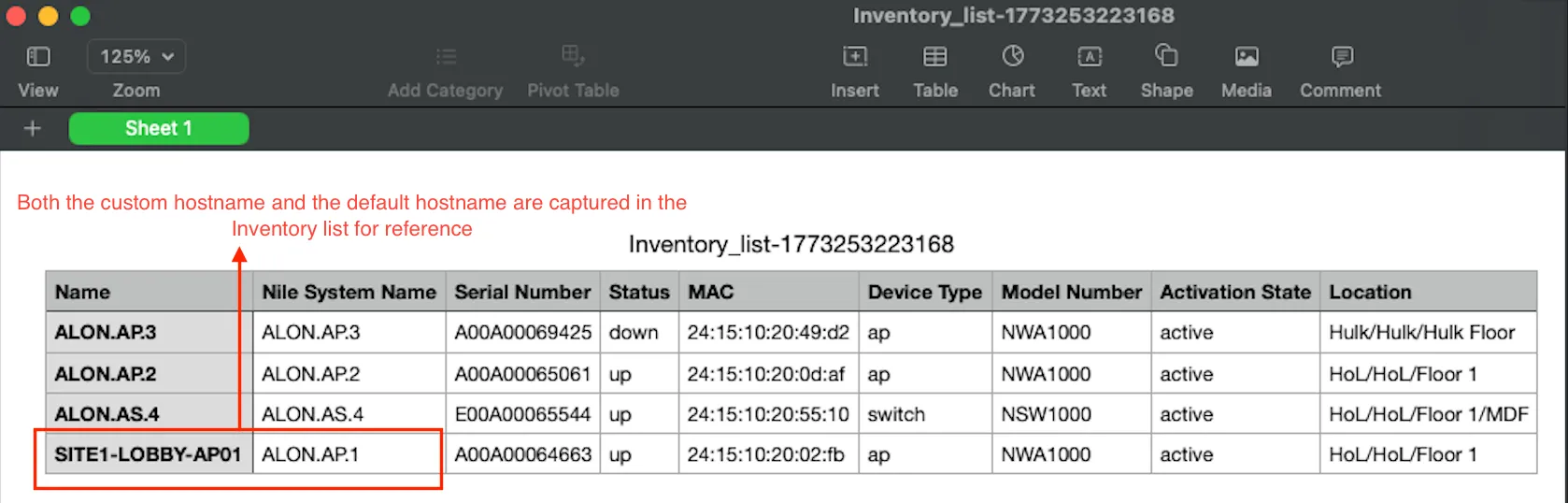
- The configured hostname is reflected in webhook notifications, enabling better alignment with your internal naming conventions and downstream systems.
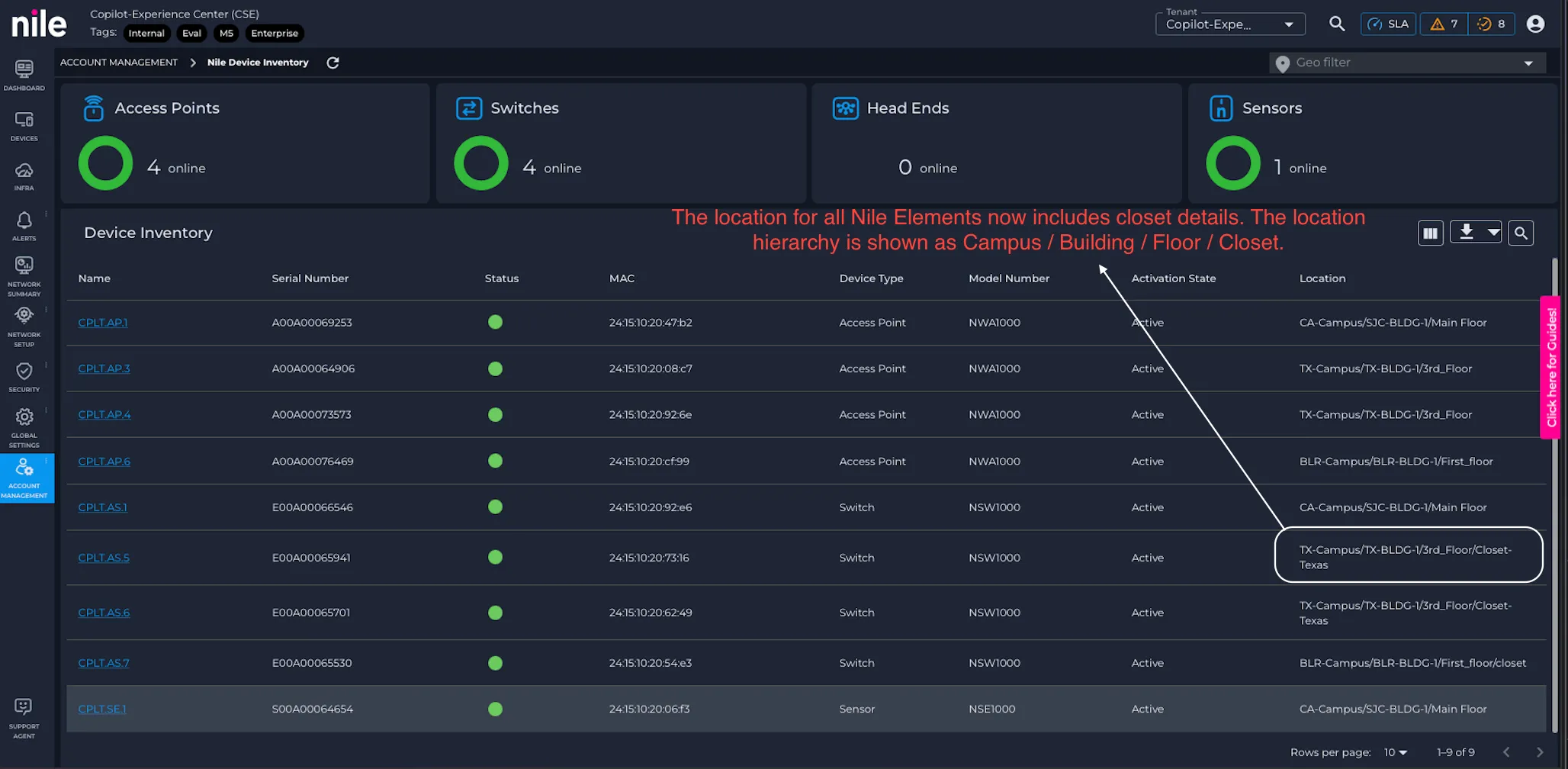
Closet added to location hierarchy
- The Closet level is now included in the location hierarchy and is visible in the Location column on the Inventory page. This provides more granular physical context for device placement.
Additional webhook payload attributes as separate fields
- The webhook notification JSON body now exposes several attributes as dedicated fields, simplifying parsing and integration. Newly available fields include:
- Custom NE name
- device_type
- Serial Number (SN)
- severity
- deviceId (a Nile-generated unique identifier for continued reference and correlation)
Webhook “Test Connection” button in Nile Portal
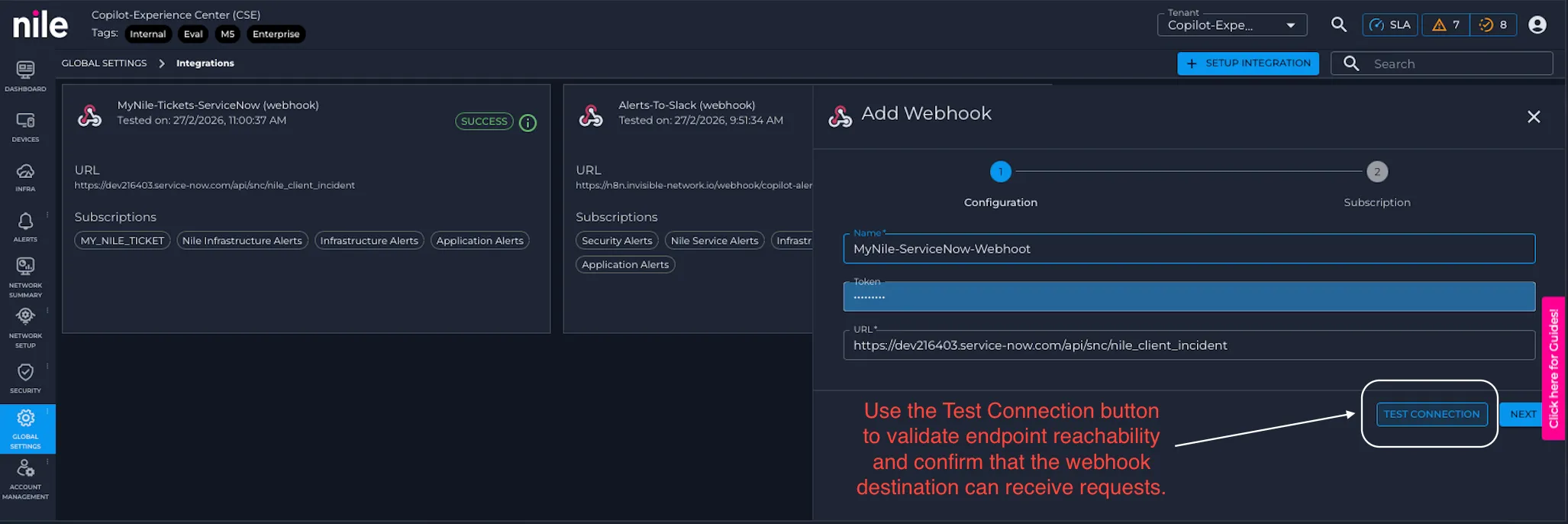
- A Test Connection button is now available for webhook configurations in the Nile Portal. This allows you to quickly validate endpoint reachability and confirm that your receiving system can successfully accept and process webhook payloads before using the webhook in production workflows.